Best Practices: Client naming conventions
Last updated: June 10, 2026
When creating clients and uploading documents in Luminary, follow the below steps to allow AI to parse out information usefully:
name your main clients exactly as they are listed in the estate planning documents, inclusive of middle names or initials.
ex: If your client is listed as "John Marcus Doe" in his core estate planning documents, list him as such when creating the client.
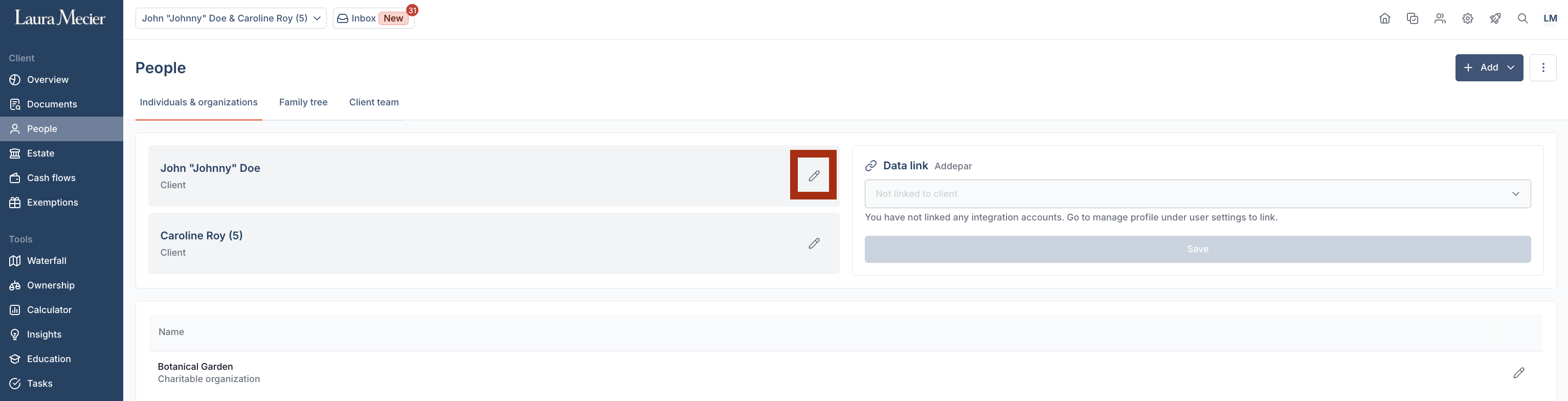
If your client has a preferred nickname, use their legal name to create the household and upload documents. After AI suggestions are created, you can edit the main client's name in the People tab.
ex: If "John Marcus Doe" prefers to be called "Johnny", use the clients legal name to upload documents, then edit the client's name in the People tab. We recommend adding the client's nickname after their first name in the edit pop-up menu - John "Johnny" Marcus Doe.
For questions regarding changing a profile to a different client or related family member, read our Luminary Academy article for Duplicating a client profile and managing static fields after changing names.