Creating client-specific growth profiles
Last updated: October 30, 2026
Growth profiles are located under the Waterfall tab by clicking on the assumption button show at the top right (example - "Default growth, 2026 & 2026 death"). In order to create a new profile, select the "Growth profile" dropdown and click "Create new profile."
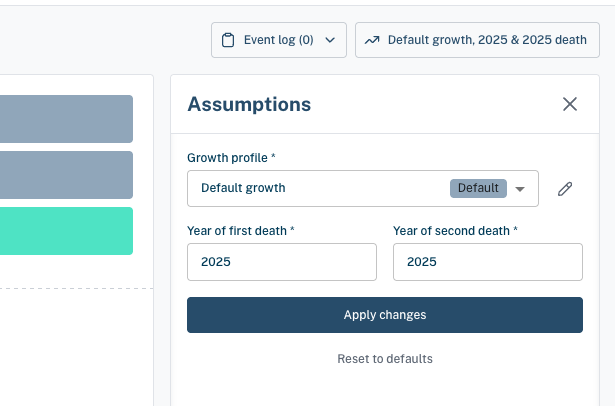
In a given growth profile you can specify the following:
Growth profile name
Tax drag rate (see article for setting Trust income tax drag)
Inflation rate
Specific growth rate options
Default growth rate
Customized growth rate
Global growth rate
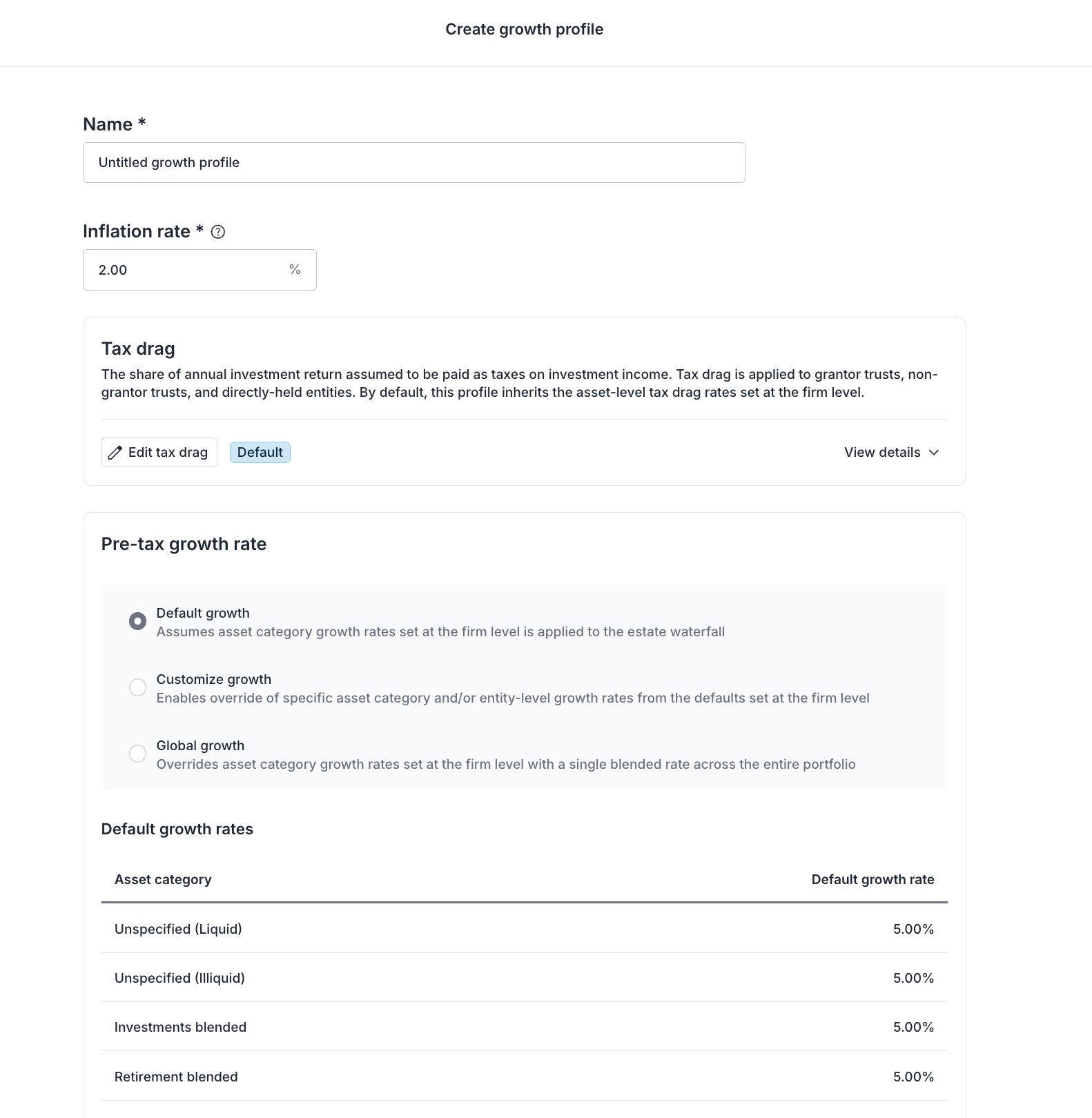
Growth rate definitions
Default growth rate: assumes asset category growth rates set at the firm level is applied to the estate waterfall)
Customized growth rate: enables override of specific asset category and/or entity level growth rates from the defaults set at the firm level)
Global growth rate: overrides asset category growth rates set at the firm level with a single blended rate across the entire portfolio
For customized growth rates, you have 3 options for entity level overrides:
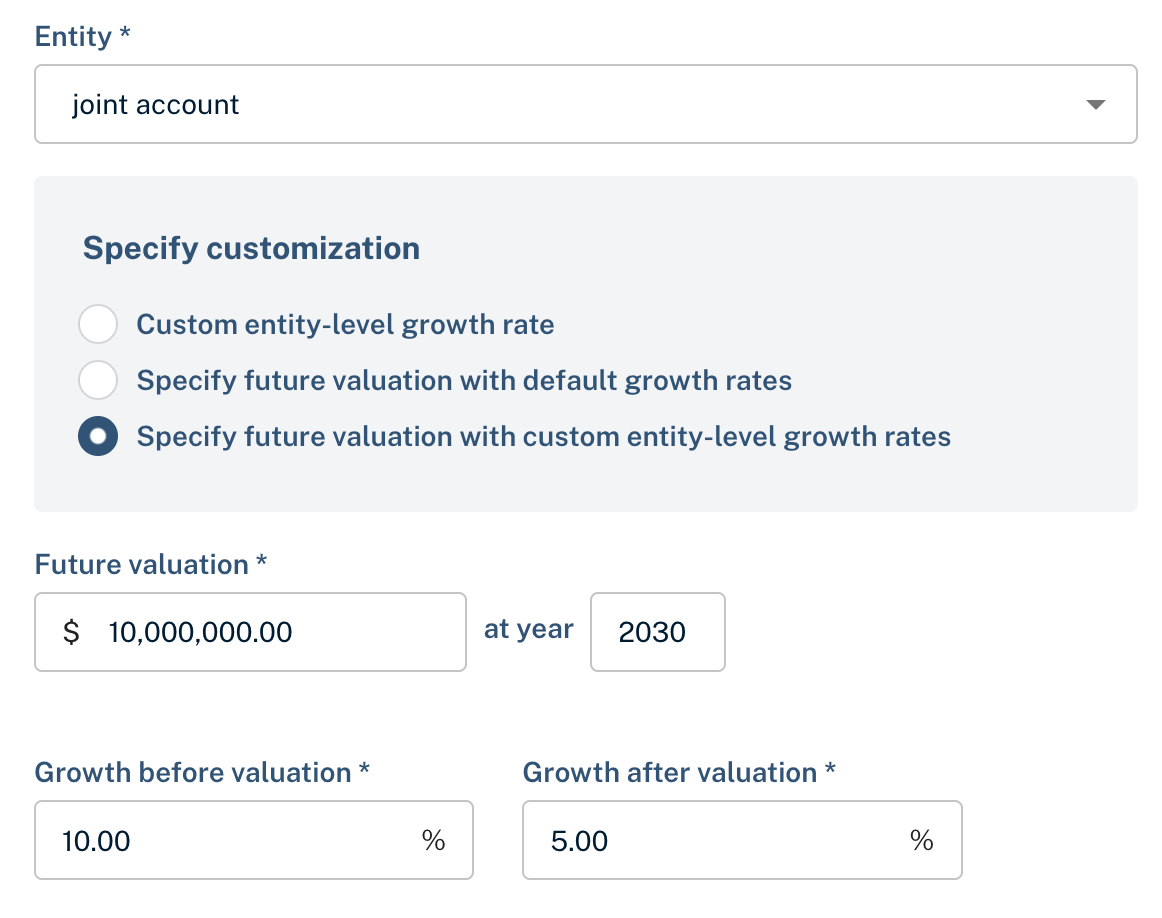
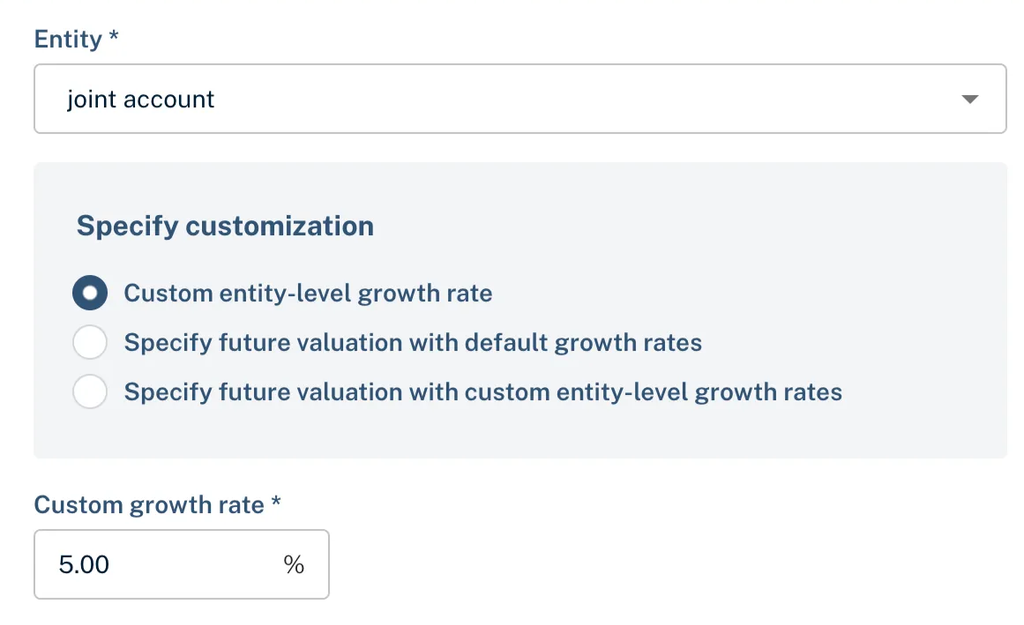
Custom entity-level growth rate, which allows you to define a growth rate to apply to that specific entity
Specify a future entity valuation, which allows you to specify a future $ valuation amount for a specific entity, and assumes default growth rates before and after the projected entity value
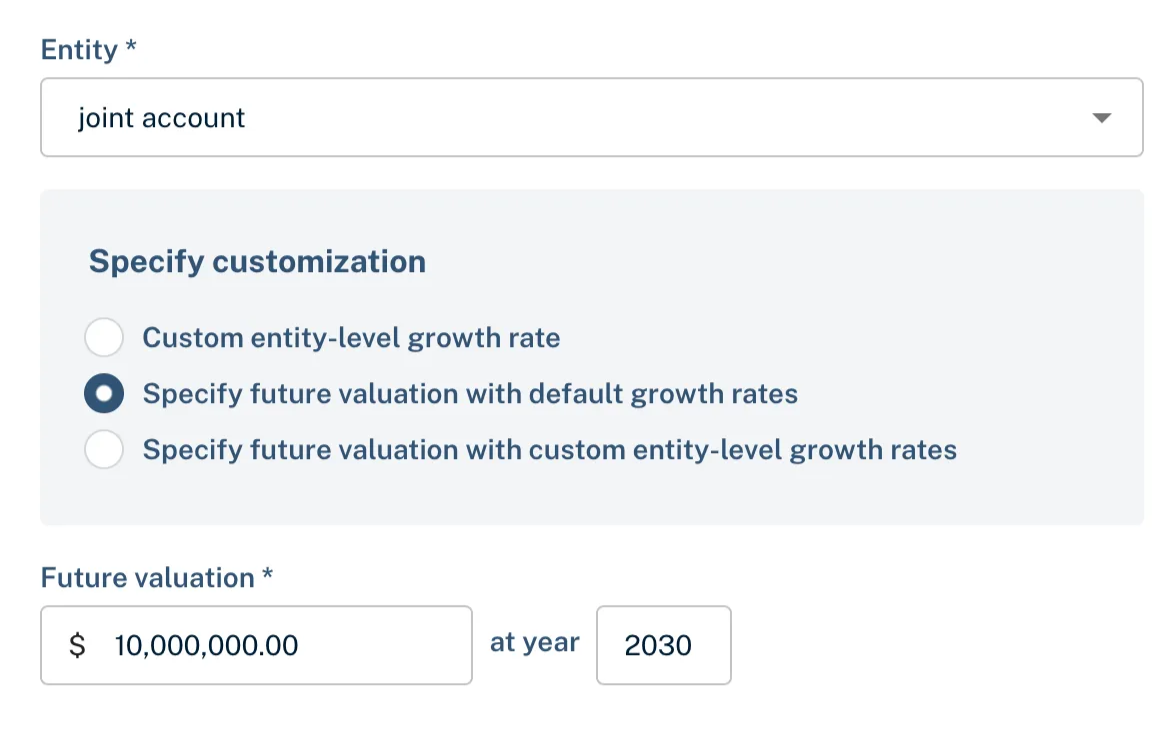
Specify a future entity valuation, which allows you to specify a future $ valuation amount for a specific entity, as well as the assumed growth rate before and after the projected entity value