Non-resident property tax
Last updated: June 11, 2026
Introduction
When a client owns real or tangible personal property in a state where they are not domiciled, that state may still impose estate tax on that property at death. The tax follows the location of the asset, not the residence of the owner.
For clients with vacation homes, investment real estate, or farmland across multiple states, situs-based exposure can add meaningful tax liability that a single-state analysis would miss entirely. Luminary captures this exposure automatically when assets are tagged correctly.
Which States Tax Non-Resident Real Property?
State | Calculation method |
Connecticut | Fractional apportionment |
D.C. | Fractional apportionment |
Maine | Fractional apportionment |
Illinois | Fractional apportionment |
Maryland | Fractional apportionment |
Minnesota | Fractional apportionment |
Oregon | Fractional apportionment |
Rhode Island | Fractional apportionment |
Vermont | Fractional apportionment |
Washington | Fractional apportionment |
Massachusetts | Direct Exclusion |
New York | Direct Exclusion |
Hawaii | Credit |
Entering non-resident property in Luminary
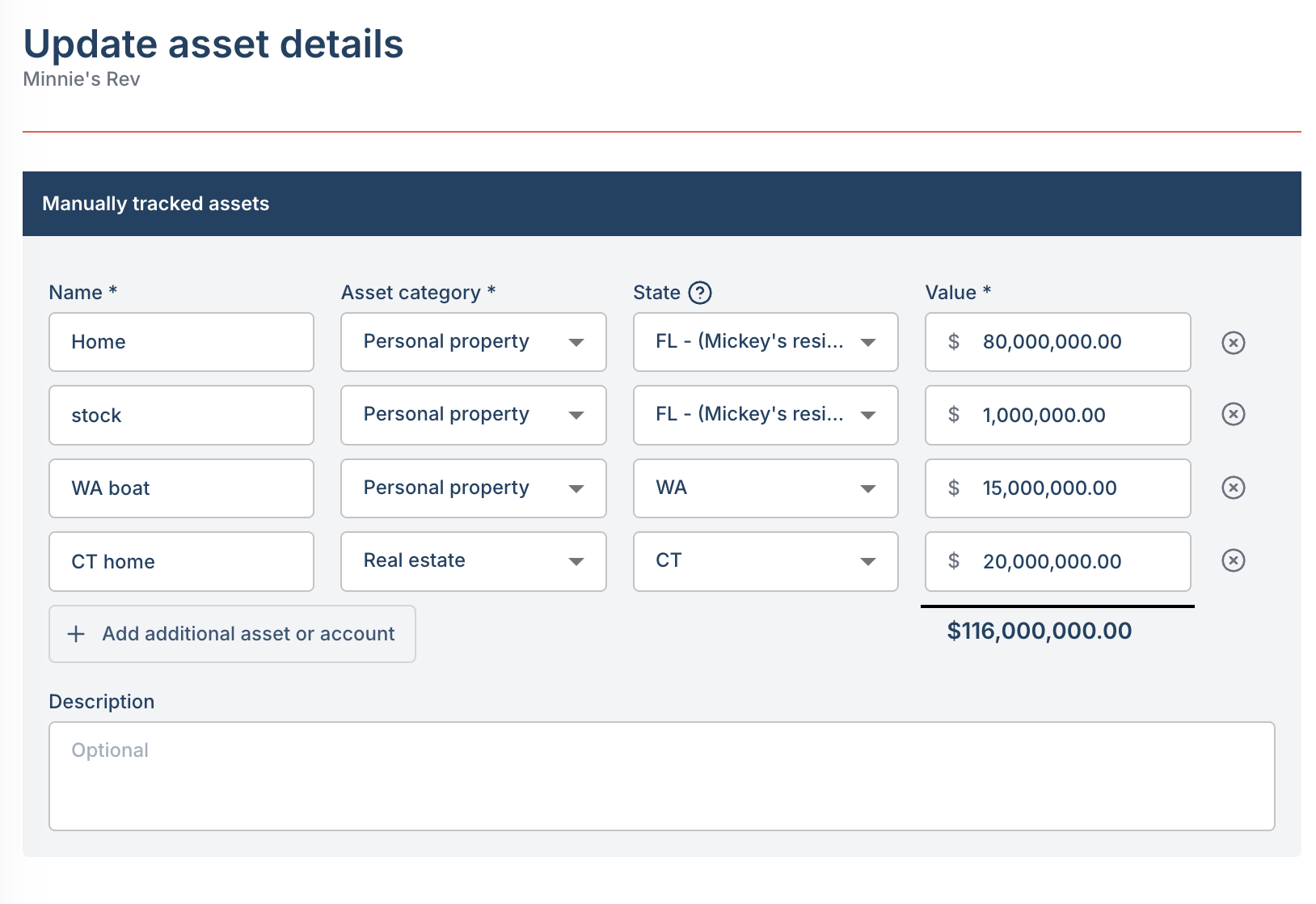
For Luminary to calculate the state estate tax correctly, you need to tag each real or tangible personal property asset with its situs state.
1. Add the asset
Navigate to the client's Balance Sheet and add the asset as either real estate, collectible, or personal property, and enter the fair market value.
Learn more about how to add holdings.
2. Set the situs state
The state location of the asset indicates the physical location of the asset for state estate tax purposes. By default, assets are assumed to be in the resident state of the owner. Any real or tangible personal property that is located in a non-resident state may be subject to that state's non-resident estate tax.
Business owned real or tangible personal property
A common planning technique is to hold real property inside an LLC or limited partnership. The question for estate tax purposes is whether the state looks through the entity to tax the underlying real property, or treats the interest as an intangible.
How to Handle This in Luminary
Luminary supports a look-through toggle at the business entity level.
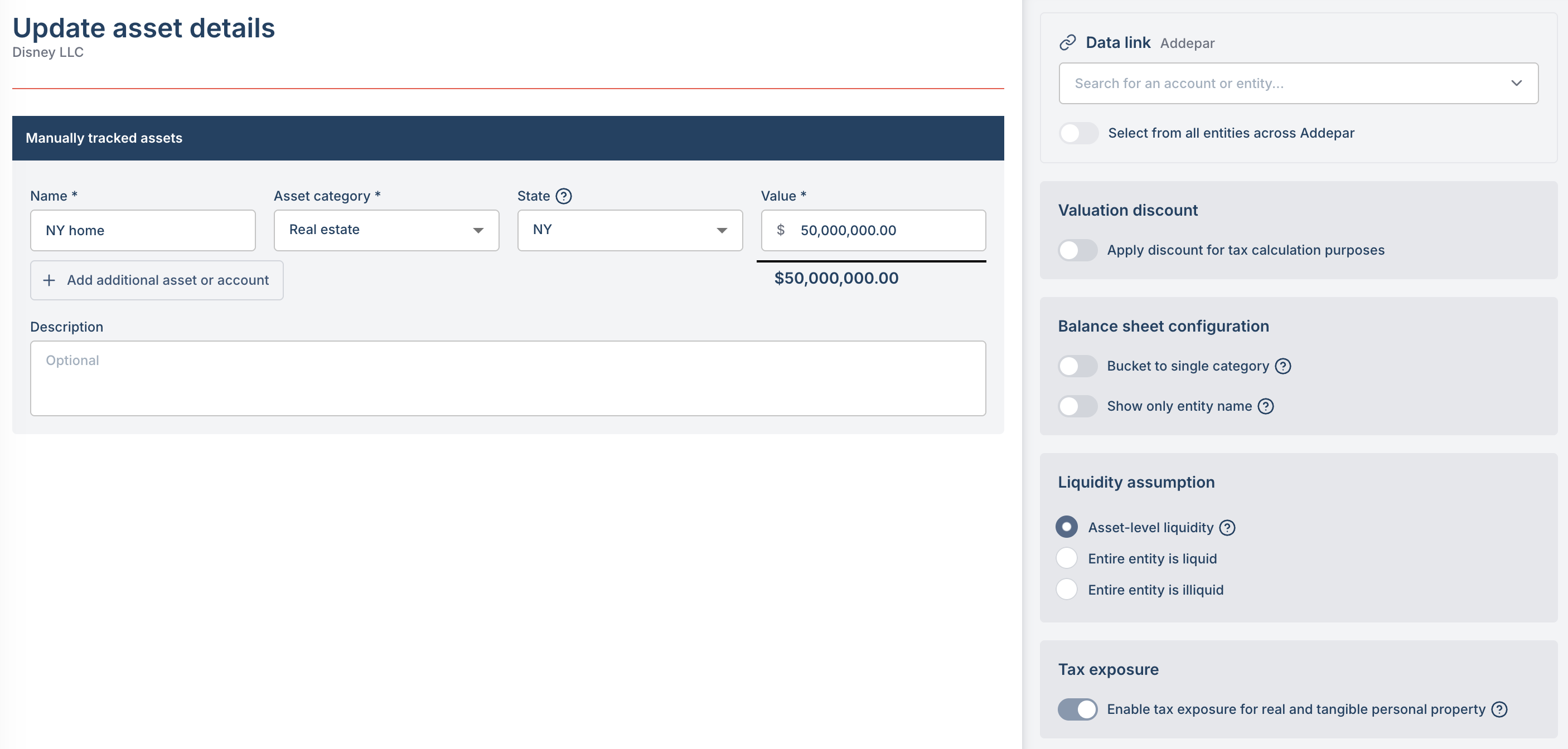
When look-through is enabled: the underlying real or tangible personal property is treated as situs property in the relevant state
When look-through is disabled: the entity interest is treated as an intangible and taxed according to the owner's resident state