Pour-over wills
Last updated: February 12, 2026
To model a pour-over will in Luminary, you must use the pour-over will recipient type in the dispositions form.
Select the trust or holding group you would like to pour over, and navigate to "Dispositions"
Select the death in which you would like the distribution to be made, and select "Add recipient"
Specify the appropriate recipient, distribution type and amount, and select "Pour-over will" as the recipient type.
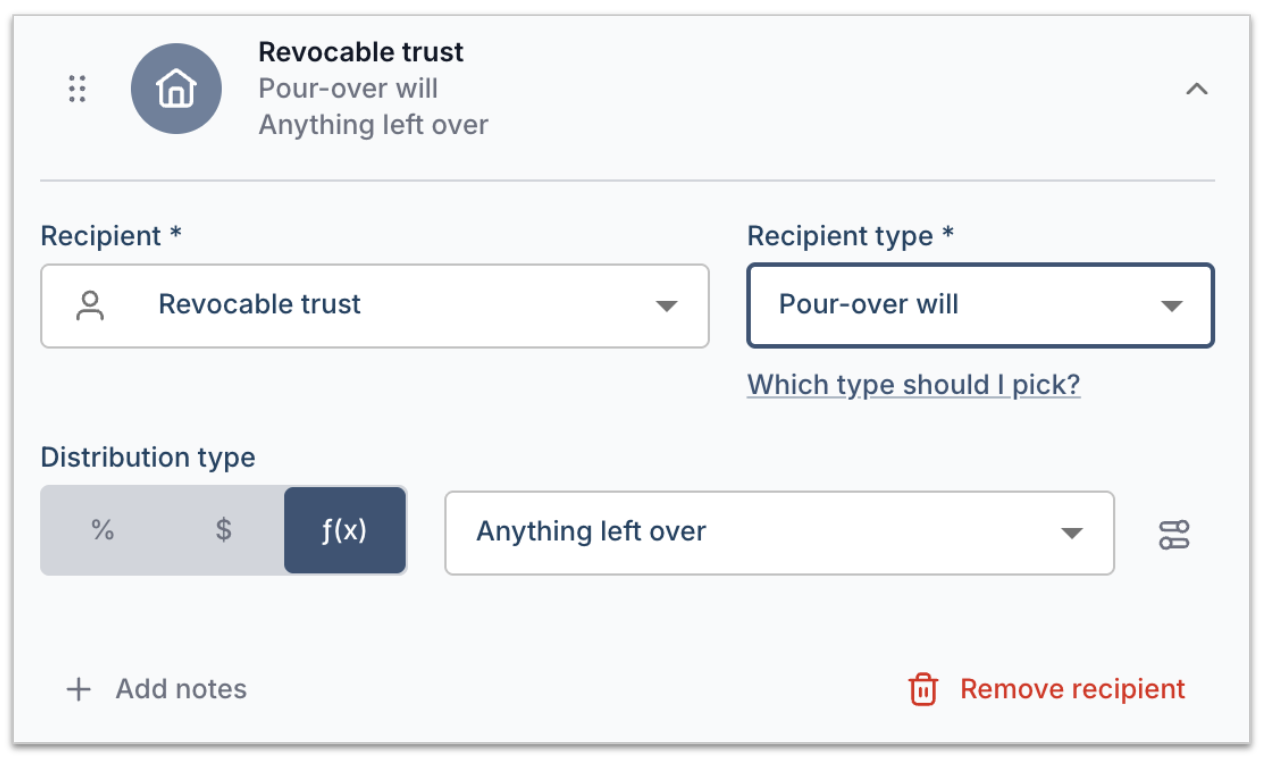
You can also model a pour-over will by leveraging disposition templates.
Select the trust or holding group you would like to pour over, and navigate to "Dispositions"
Select the death in which you would like the distribution to be made, and select "Use template"
Create a new template, and select the "Pour-over will" option
In the new template, specify the appropriate recipient, distribution type and amount.
Tutorial video