AI dispositive provisions
Last updated: October 9, 2025
Overview
Luminary AI will extract dispositive provisions and surface suggested entity recipients for the following entities: irrevocable trust, revocable trust, SLAT, ILIT, personal accounts, and sub-trusts (only if created from AI suggestions for the main trust).
How to review suggested recipients
Entities created from AI suggestions will include suggestions for dispositions once the entity is officially created.
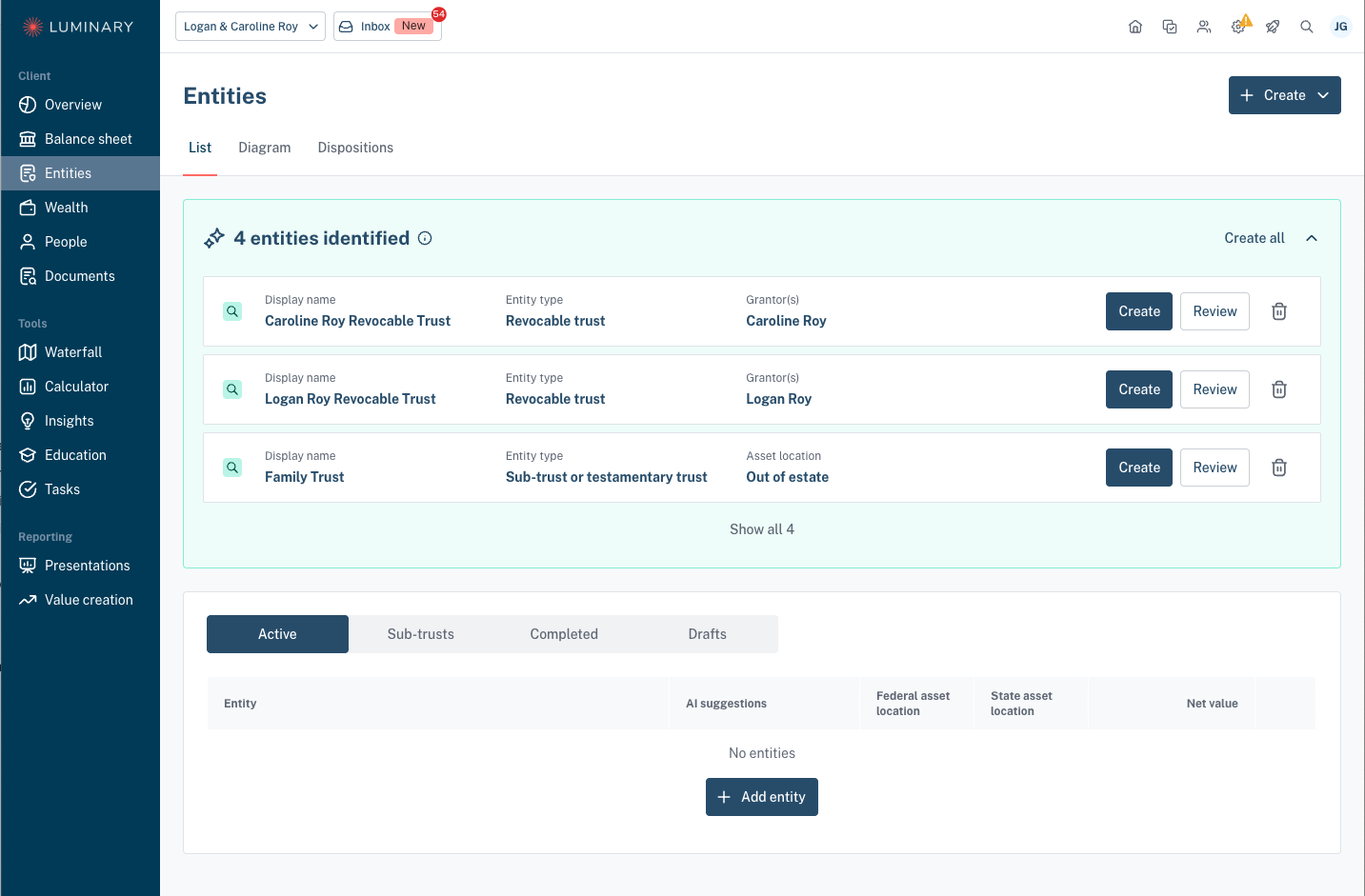
Start by selecting a Dispositions section of the entity details. For two person households, there will be one section per individual. Upon opening this form, you'll see a diagram on the left side. Select the main trust at the top to review AI suggestions.
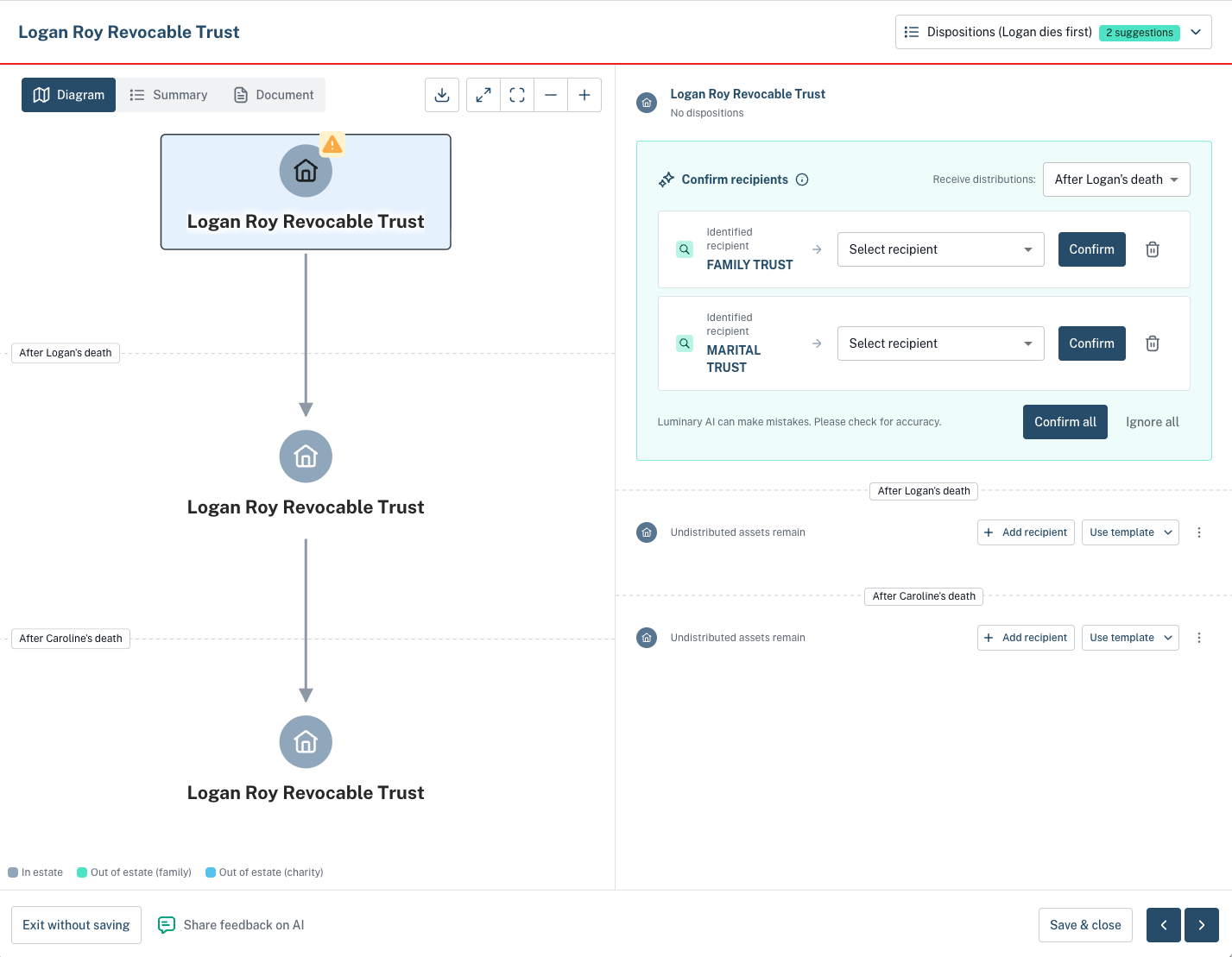
Review and confirm the recipients shown at the top of the form. Select recipient for each to map the suggestion to an existing entity, sub-trust, individual, or organization. If none already exist, create a new one before clicking to Confirm. Reject suggestions via the trash icon.
Click the magnifying glass to review evidence for each suggestion from the documents associated to the entity. Click Confirm all after mapping all the suggestions to accept all in bulk.
If the entity distributes at first death to sub-trusts, select the sub-trust from the diagram to then review and confirm recipients.
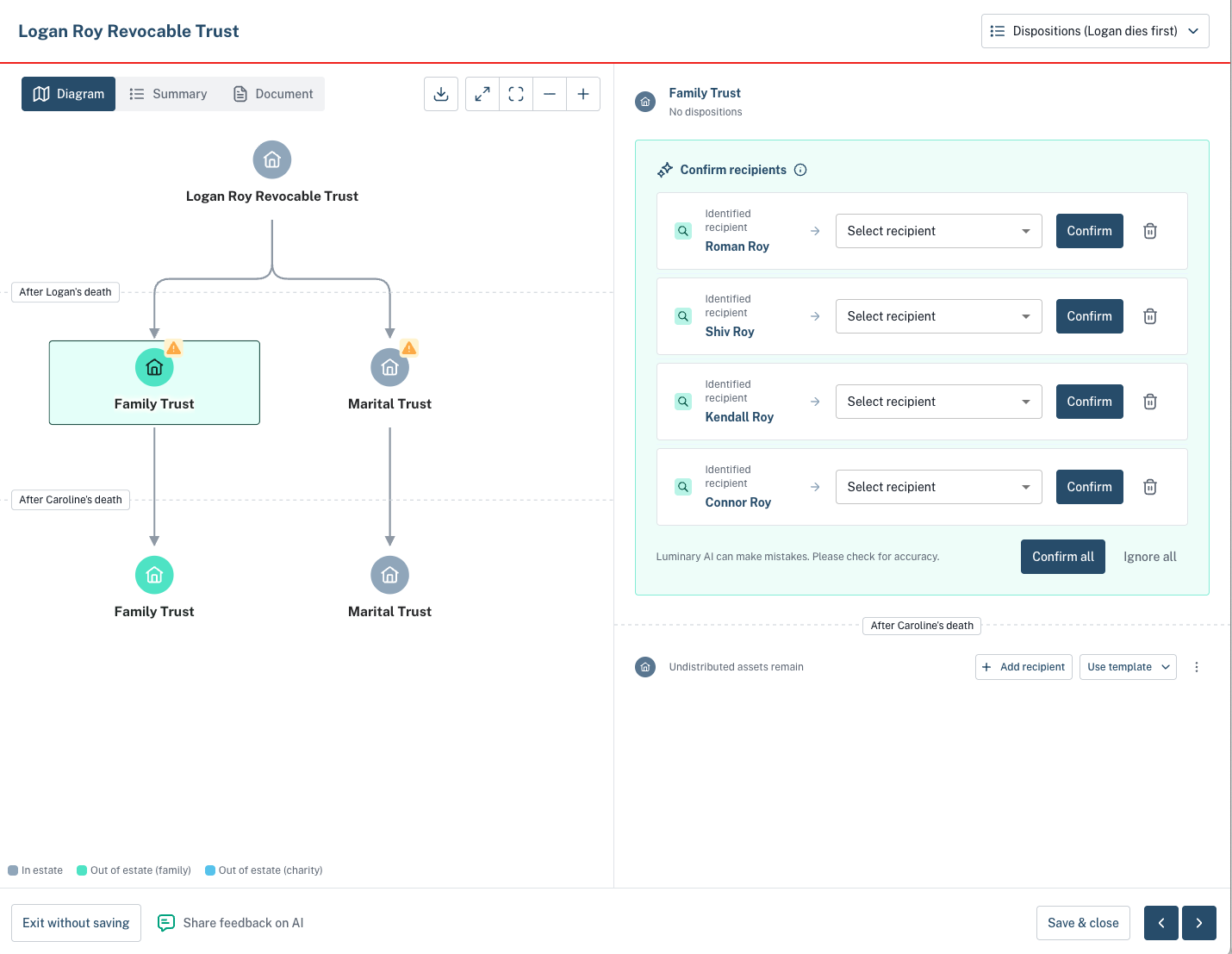
If the sub-trust was created from the entity suggestions at the top of the Entities list, then disposition suggestions will show immediately.
If the sub-trust was created from the recipient confirmation step for the main trust, then the AI workflow will trigger upon saving the form. A banner will appear to show this processing state.