AI document summaries with amendments
Last updated: August 29, 2025
Overview
Luminary supports managing amendments or codicils to create combined summaries. This feature supports the following document types:
Combine "trust documents" and "trust amendments"
Combine "LLC agreements" and "LLC agreement amendments"
Combine "operating agreements" and "operating agreement amendments"
Combine "partnership agreements" and "partnership agreement amendments"
Combine "wills" and "will codicils"
How to create combined document summaries
Start by opening a document of the supported type and add documents to the Manage amendments section that you wish to combine together. This can be done from the document details for the amendment/codicil document or the original document.
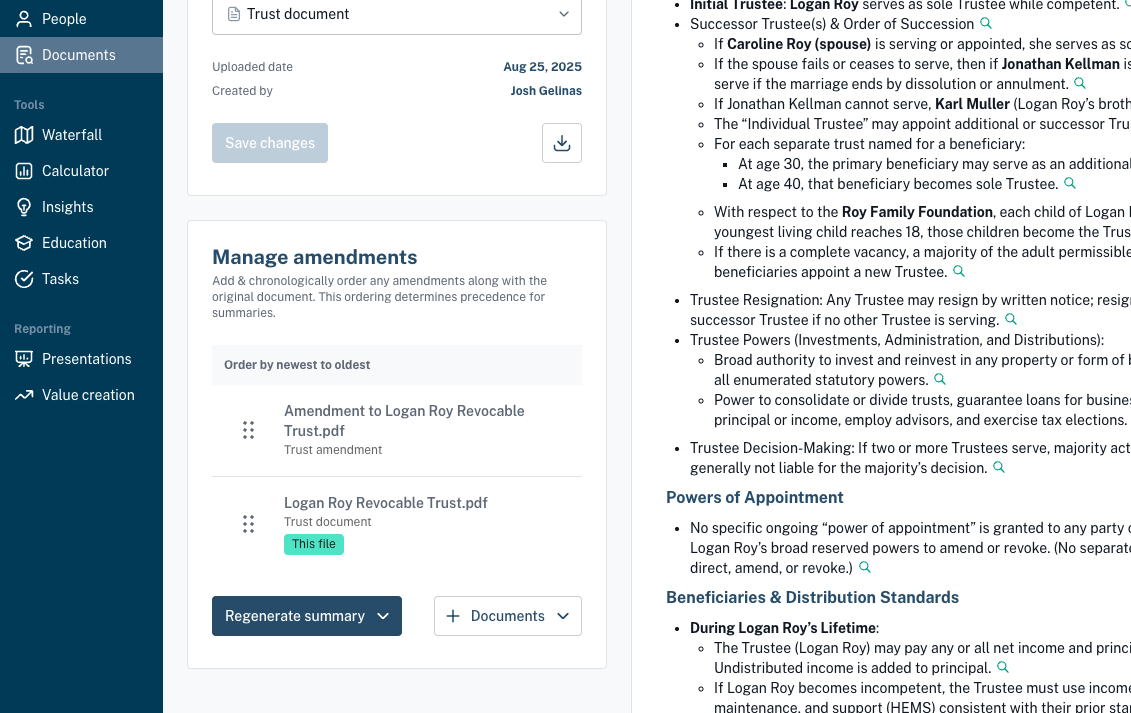
Re-order the documents based on the correct chronology and click to Regenerate summary which will present two options:
Incorporate details from other documents - A new combined document summary will be generated using all the documents combined together. Any document in the chronology can be used to generate the new combined summary, however we recommend generating from either the most recent or the original document in the list to avoid future confusion.
The new summary will replace the existing summary for the document you click regenerate summary from. This cannot be undone, any previous edits will be lost.
This document only - The summary for only that one document will be re-generated, ignoring any other documents.
Combined summary details
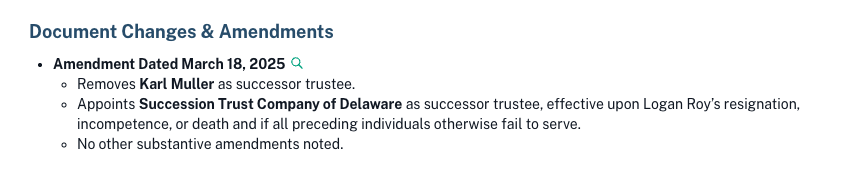
The combined document summary will include a section at the top listing out each amendment with a short description of what changed.
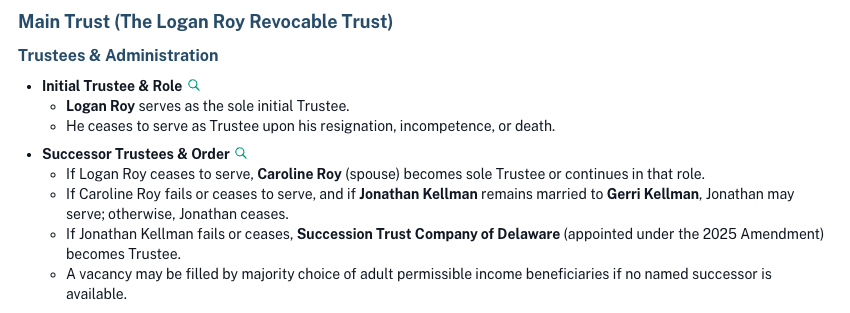
The document summary itself will also include the updated details from the amendments in the specific summary sections following the order of precedence set in the Manage amendments section.