FAQ: Deleting a household
Last updated: June 24, 2026
Deleting a household
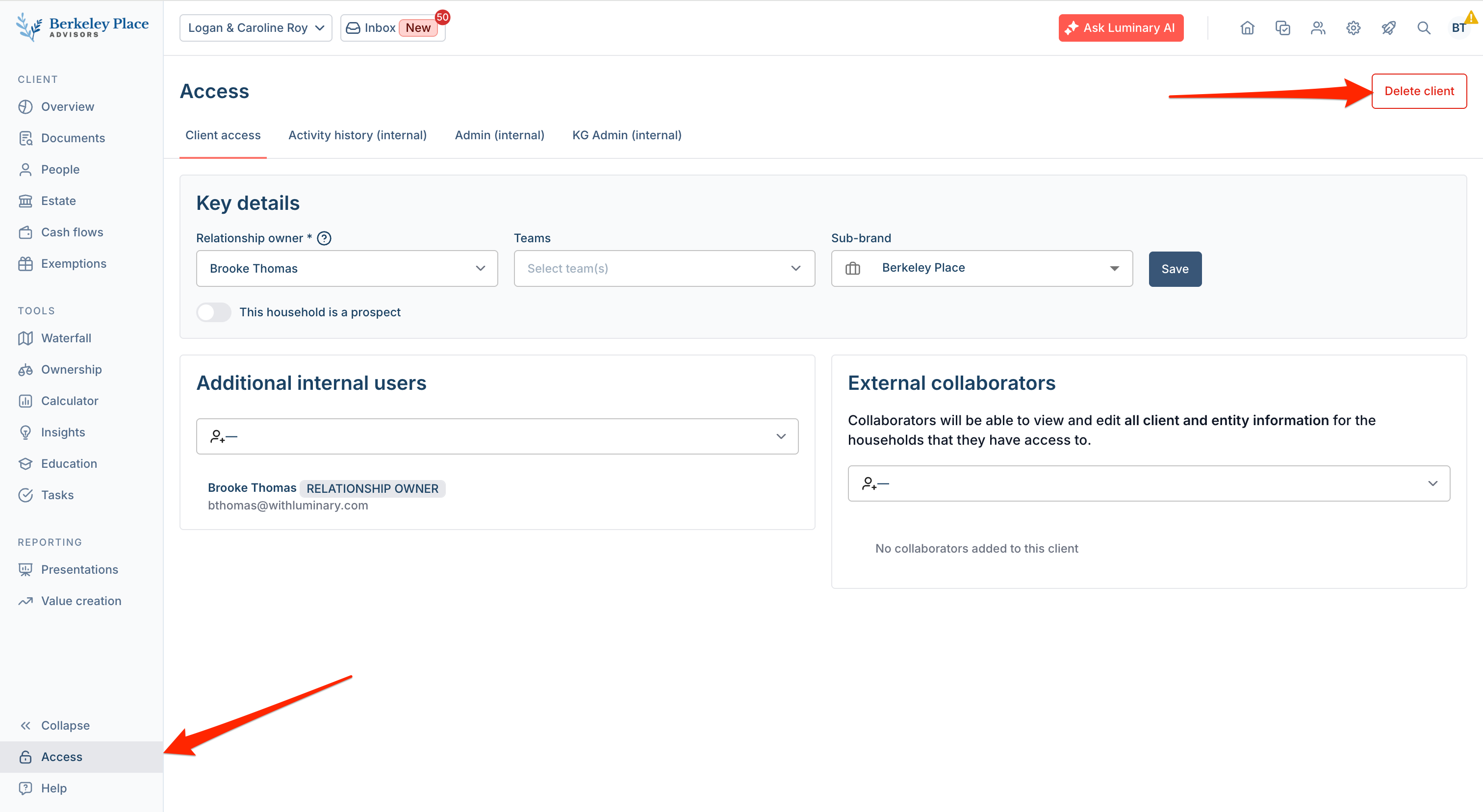
You can delete a household by navigating to the client and selecting Access, located at the bottom of the left-hand navigation menu (lock icon). On the Access page, select Delete Client in the upper-right corner.
Please note: Only users with the Admin or Wealth Strategist role can delete households. If you are unsure which role you have, please contact your firm's administrator or email support@withluminary.com.
If you need assistance with household deletion, please contact support@withluminary.com. Our team can help verify permissions, answer questions about the deletion process, and provide guidance on next steps.