Household export
Last updated: May 11, 2026
Overview
Luminary supports uploading presentations and other similar deliverables created in other estate planning software tools. The household export processing is tailored specifically for extracting data in a highly-accurate way.
Step by step guide
(1) Upload the export file either when creating a new client or for an existing client and set the document type to Household export.
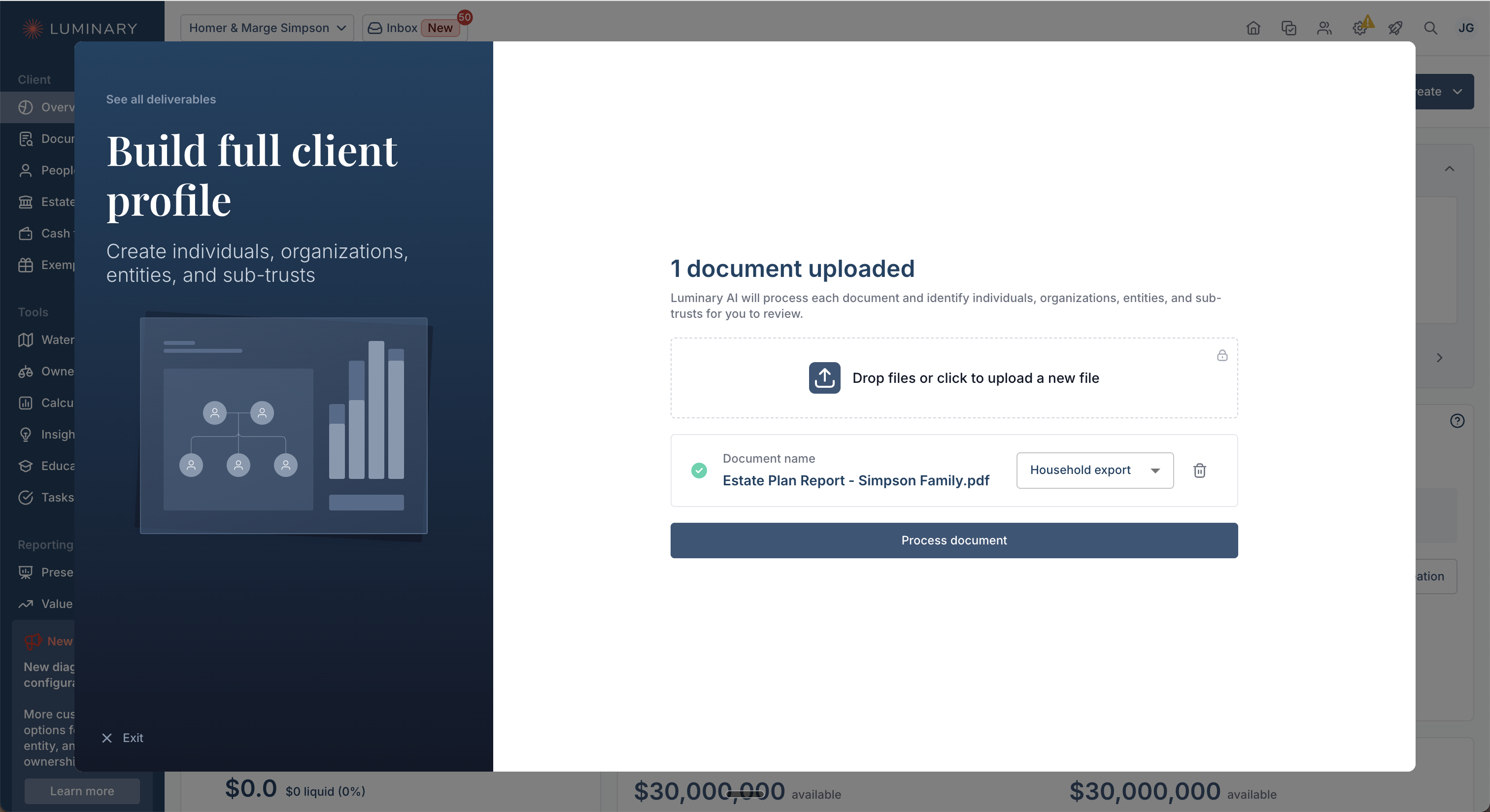
Note: Although not required, please also upload the client's estate planning documents as well to provide Luminary with additional context.
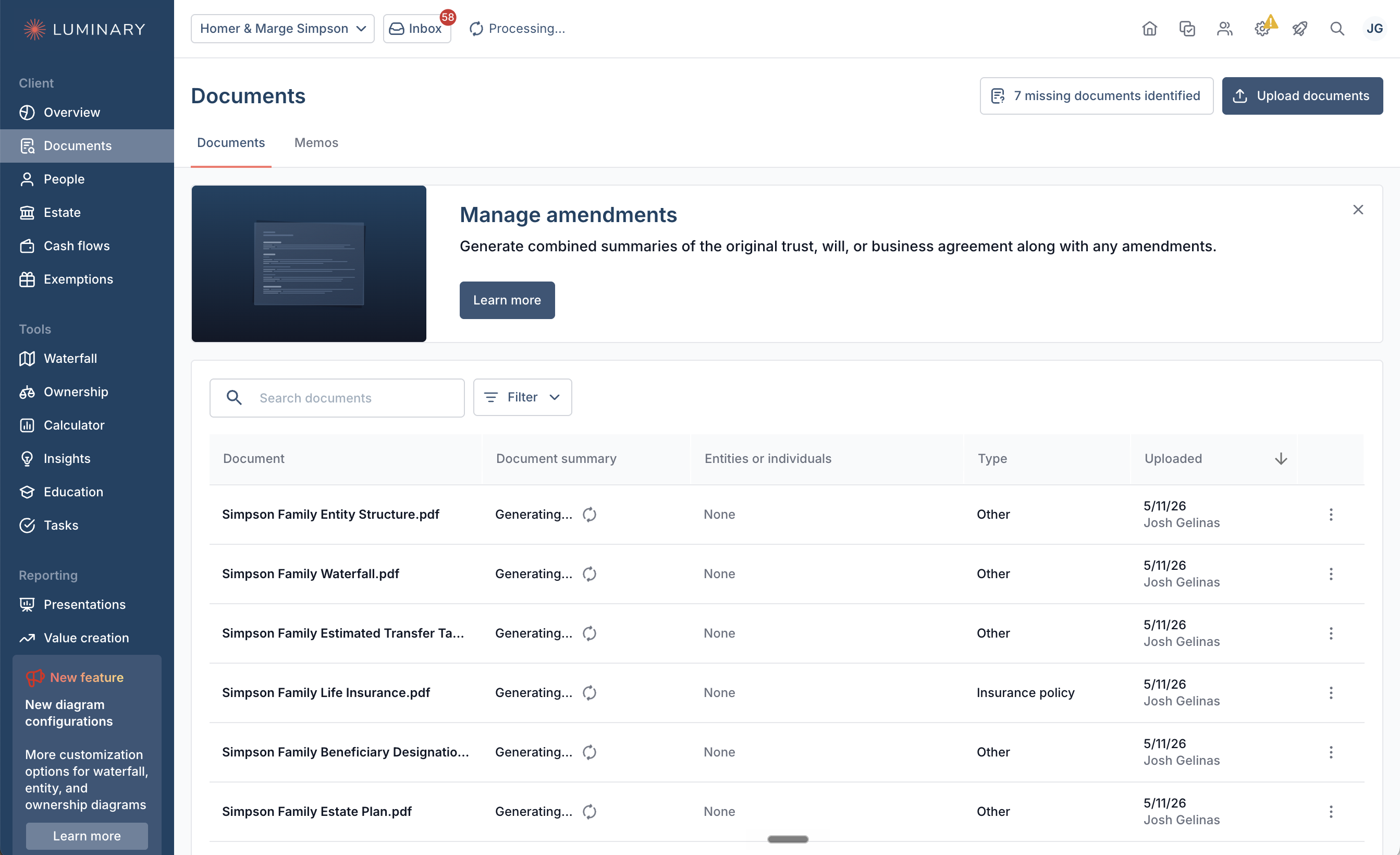
(2) Luminary will process this export file by splitting it up into specific related pieces such as entity structure, balance sheet, net worth summary, etc. This improves overall accuracy when extracting data from the export. You can see the results of this process on the Documents tab.
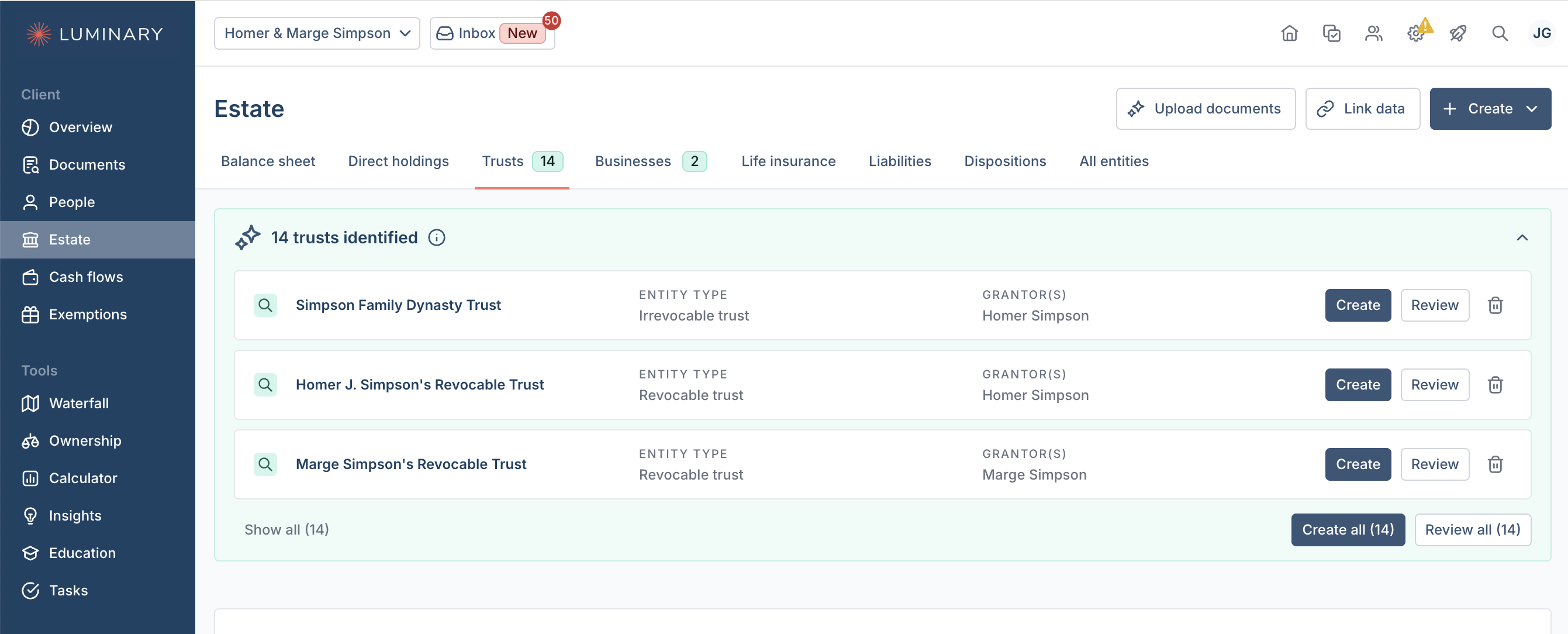
(3) Once completed, suggested data from the export (and other documents if uploaded) will appear on the People and Estate tabs for your review. You will need to review and confirm these suggestions, and you'll be able to check the source of each suggestion using the magnifying glass icon.