Estate360 FAQs
Last updated: March 27, 2026
Can I edit the Estate360 asset distribution diagram?
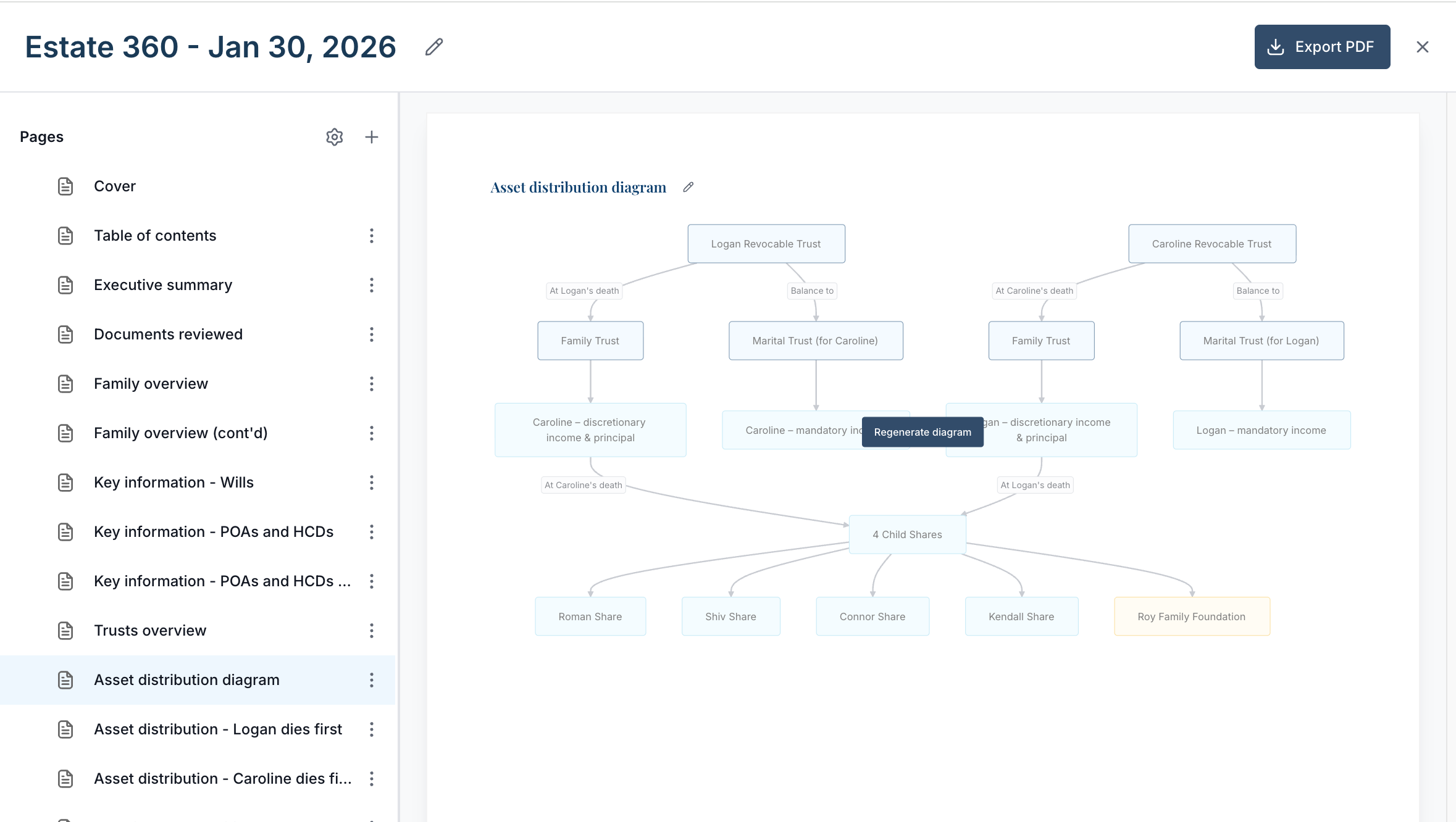
You’re not able to move boxes or directly edit the text within the diagram. However, you can regenerate it directly from the presentation view.
Simply hover over the diagram and click Regenerate diagram. You’ll then be prompted to describe the changes you’d like to make, and the updated version will reflect those adjustments.
Does the Estate360 require me to enter data to the client profile?
No. The Estate360 is a standalone deliverable that can be created without populating any client profile information other than the client name. The only information required to create an Estate360 is the documents that you wish to inform the presentation.
Can I customize what default slides are included in the Estate360 presentation?
Not currently. The slides are generated automatically but you can edit or remove and slides that are automatically generated. You can also add new slides to the Estate360 per the section above. We may provide more flexibility in the future to customize the automatically-generated slides
Do updates to the Estate360 also update the client profile?
No. Any updates made to the Estate360 presentation will only impact that presentation. For example, if you update the name of a child in the Estate360, that will not update the name of the child in the client data record.
Do updates to the client profile also update the Estate360?
No. The Estate360 is a point-in-time deliverable. To update the estate360 for changes made to the profile, create another Estate360 presentation.
Does the Estate360 include a balance sheet
Not currently. You can always create a balance sheet in the client profile and add the Balance sheet slide to the Estate360 presentation.