Life insurance scenarios (existing or new policies, ILITs)
Last updated: October 25, 2025
Modeling insurance transfers or the creation of new hypothetical insurance policies
In the Hypothetical Waterfall, click the Hypothetical Transfers button in the right hand corner.
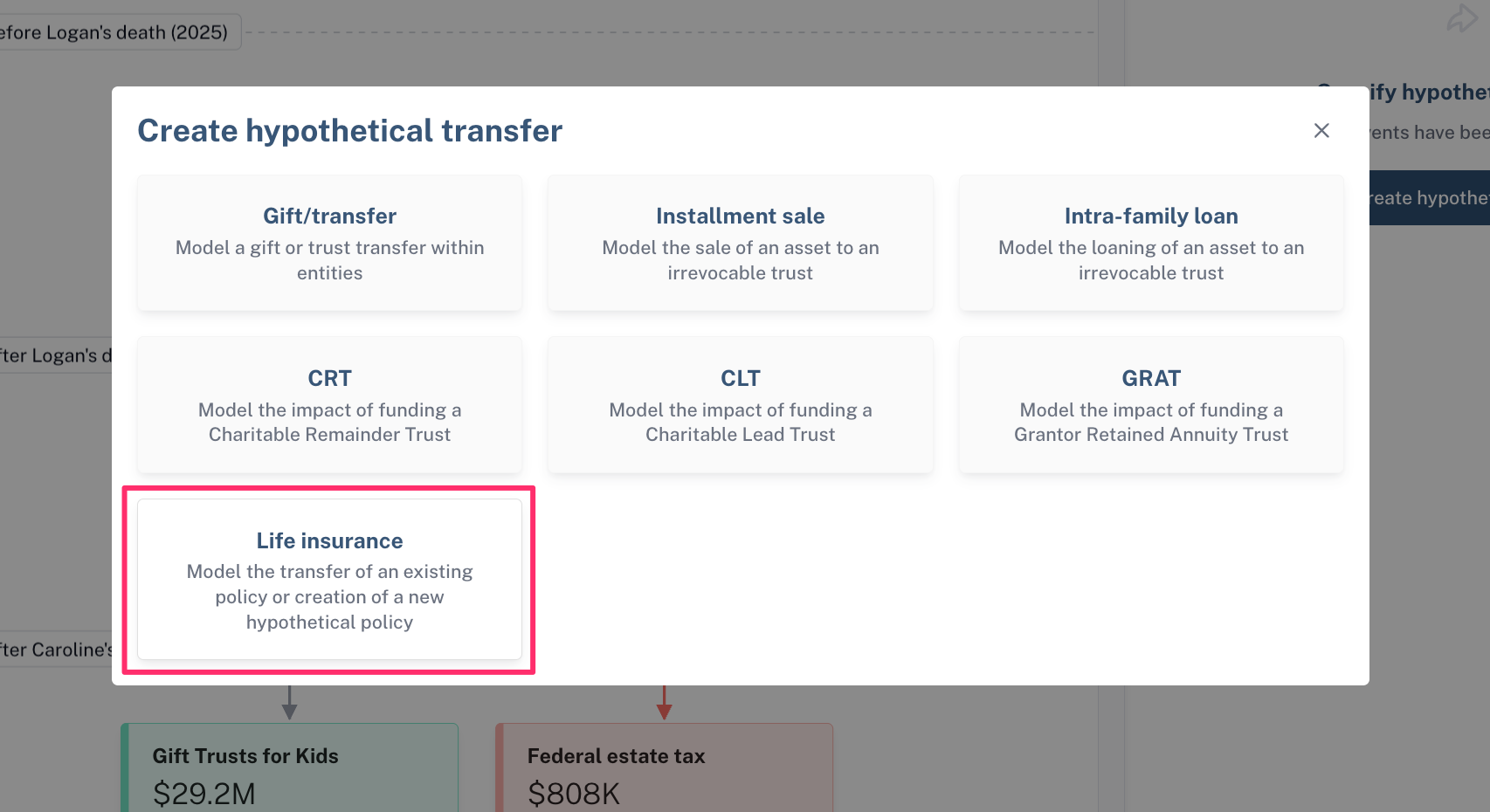
Select Create Hypothetical Transfer.
Select Life insurance
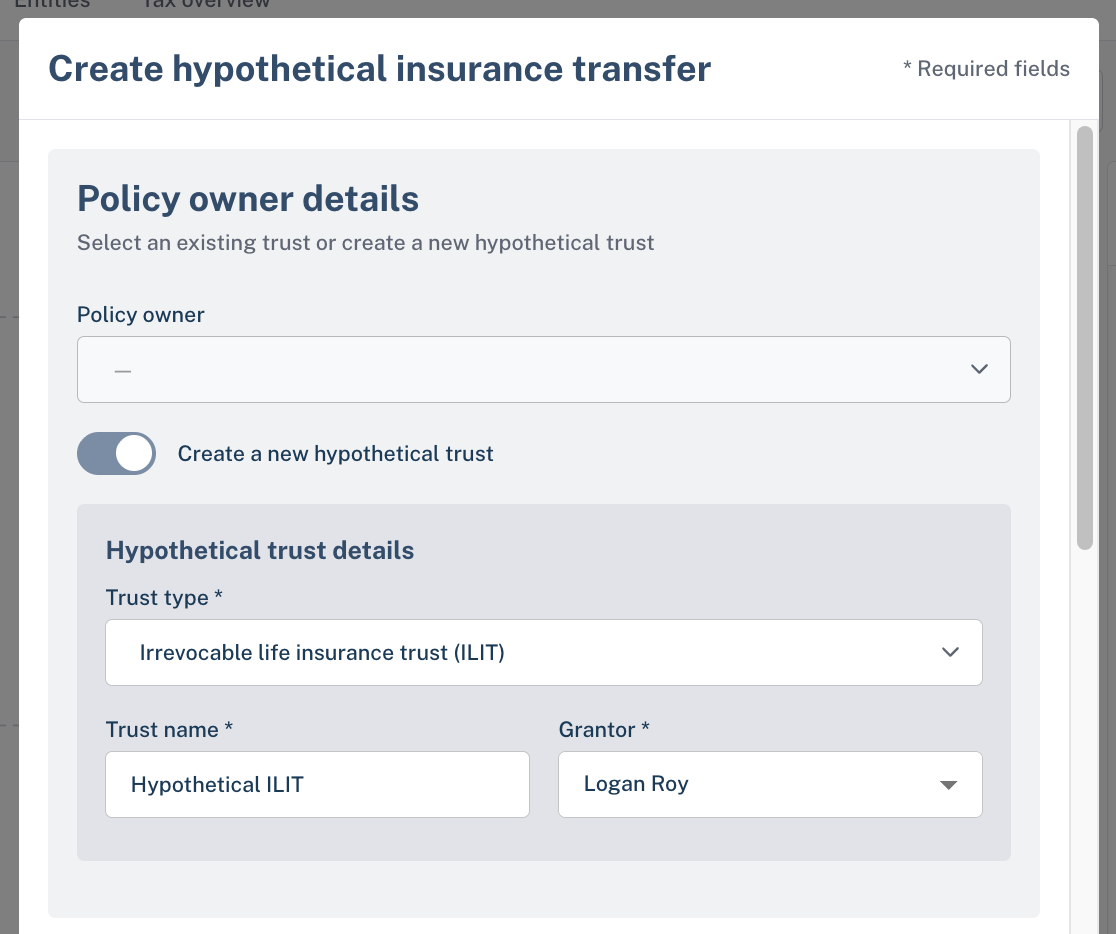
Under Policy owner, fill in the details of the hypothetical trust that you want to create to hold the policy (for example, this would be a new ILIT that will be funded)
If you would like to choose an existing entity as the policy holder, click the Create a new hypothetical trust toggle to turn it off and select the entity that will hold the policy
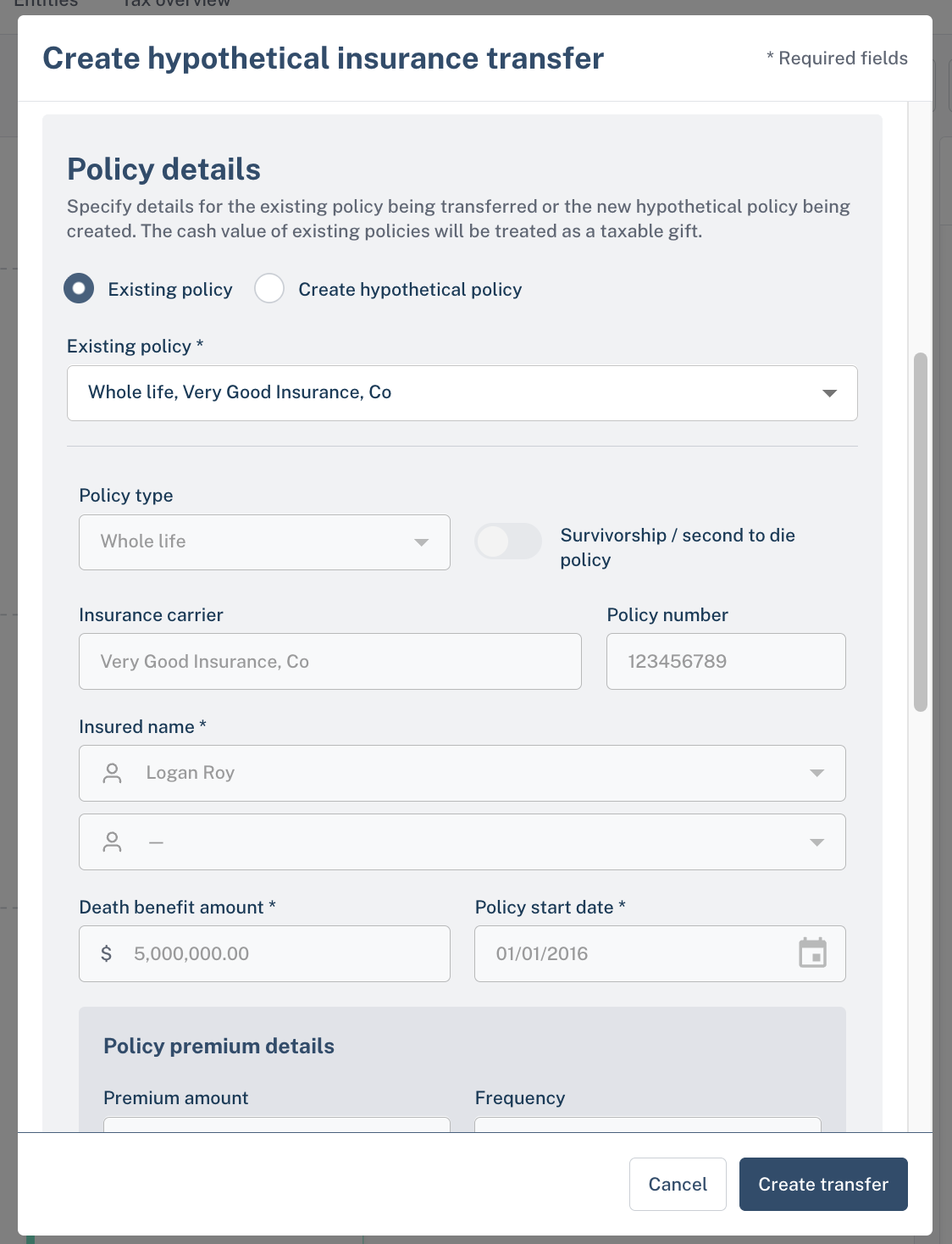
In the Policy details section, select the existing policy you would like to transfer or click Create hypothetical policy if you would like to model the creation of a new policy
If creating a new policy, fill in the policy details, including the death benefit and premium amount
In the Funding details section you will specify the ongoing transfers that will fund the insurance premium payments
Specify the entity that transfers are coming from
Specify the amount of transfer and whether it's a one-time or recurring transfer
Specify the year that you would like the transfer to begin
Specify when you would like the transfer to end
If you select year, the transfer will end during the specified year
If you specify policyholder's death, the transfer will end in the year that the policy holder dies according to the waterfall assumptions
If you specify trust termination, the transfer will end only when the trust has fully distributed all assets and ceases to exist
Specify the type of transfer
Select annual exclusion gift with Crummey powers if the transfer will not deplete exemption
Select taxable gift if the transfer will deplete exemption
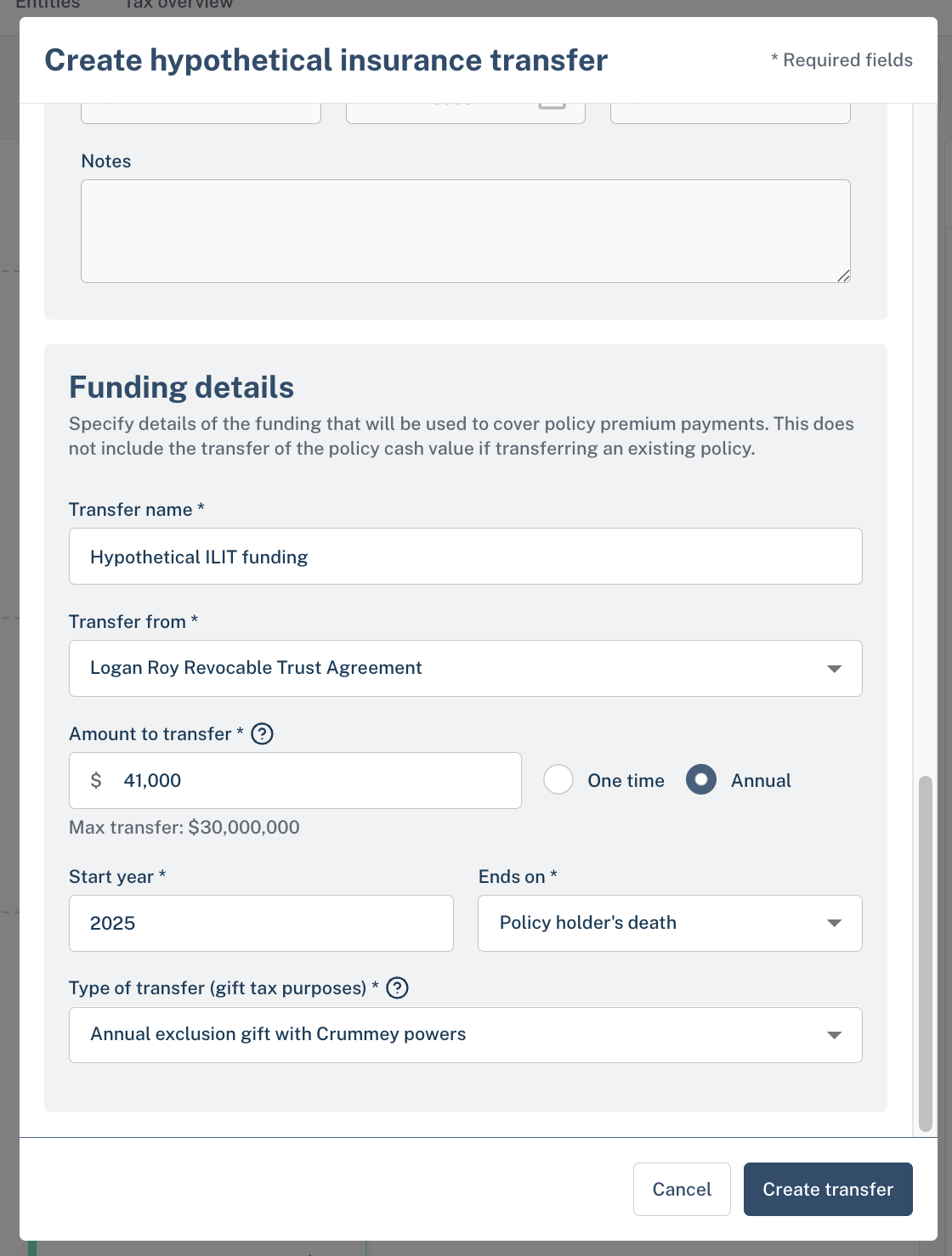
Click Create transfer to finalize the hypothetical transfer