FAQ: Divorced, deceased, & other unique family situations
Last updated: April 10, 2026
Life events such as the death of a spouse or divorce create significant shifts in a client’s estate plan. These transitions often require updates to beneficiaries, fiduciary appointments, asset distribution, and decision-making authority. Here are a number of articles you can use to model changes in your client's life.
Divorced or financially separate spouses
Removing spouses applicable to both estate plans
If the ex-spouses should be considered separate clients but are still applicable in one another's estate plans, we recommend the following:
Create another household with the other spouse listed as a non-client grantor instead of a client. Label the relationship of the secondary person as "ex-spouse".
Note: The toggle for making a spouse/ex-spouse a main client should remain off
In the original household, remove one client as the main client and list as a non-client grantor
Update manually added spousal considerations like Portability/DSUE
To locate, follow steps in Portability election and DSUE amounts
Hiding ex-spouses in diagrams
Divorce may require more client-sensitive estate plan presentations. Our estate flowchart allows advisors to hide certain tiles from view, including those related to a former spouse, so clients can focus on their estate plan without distracting details.
Insights
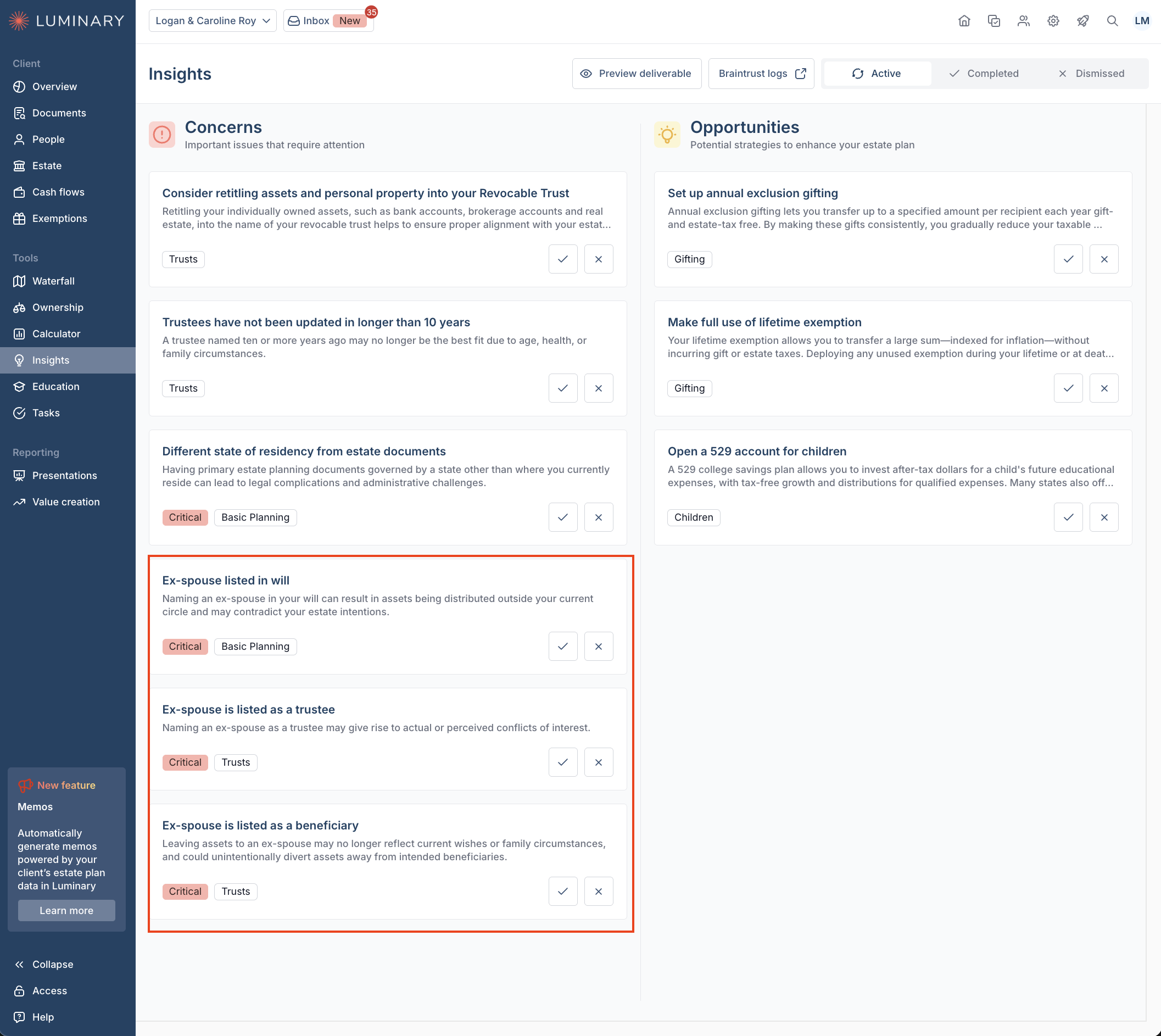
Check the Insights tab for areas of concern that may affect each client's estate plan.
Deceased spouses
The death of a spouse introduces important considerations around asset flow, titling, and editing existing estate structures. While trust administration and post-death workflows may extend beyond the system, we recommend the following approach to model a deceased client’s plan to best illustrate the flow of assets after passing.
Removing the deceased spouse
Follow steps in the link below to remove the deceased spouse as a client.
Removing a main client and grantor
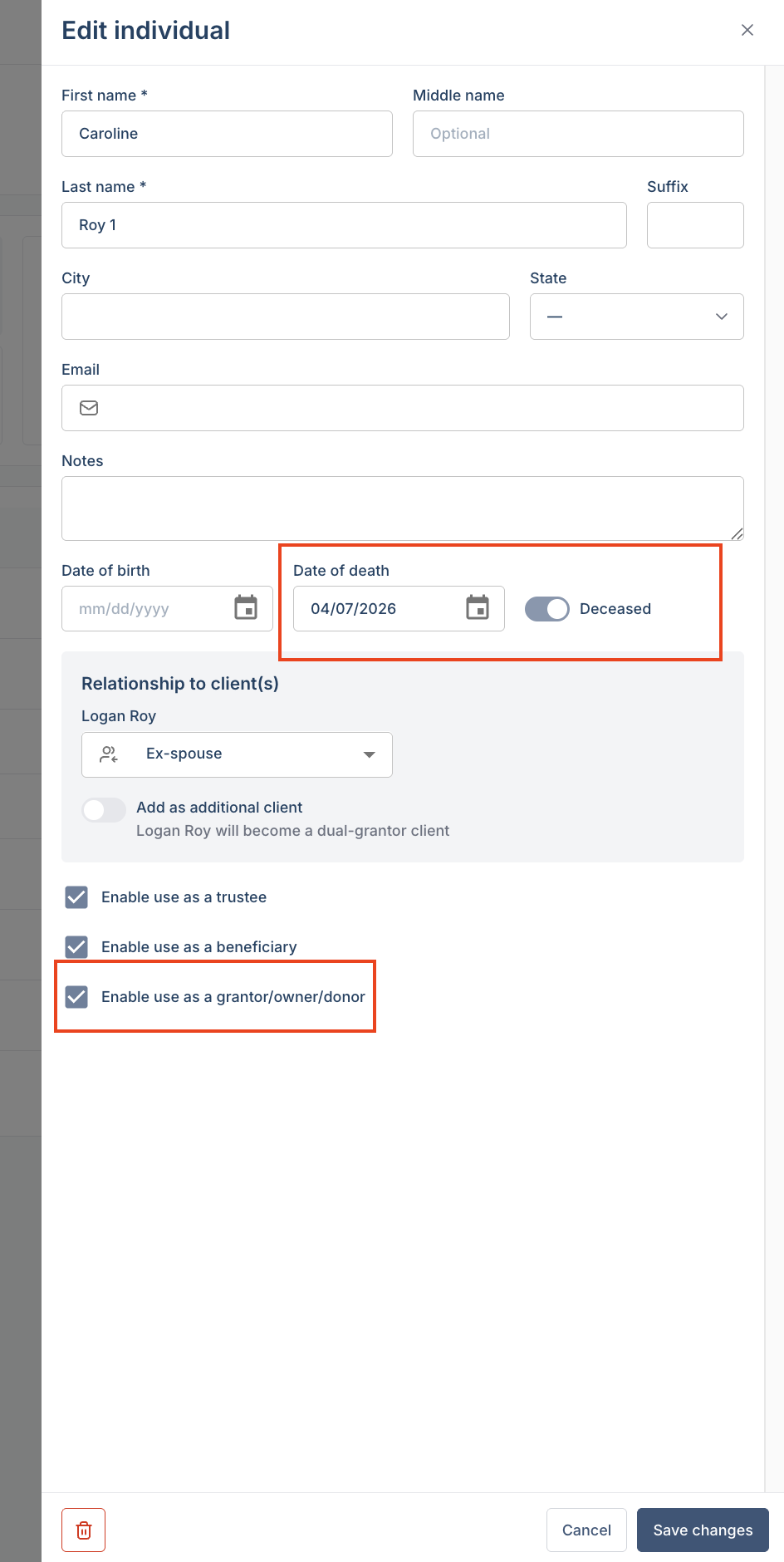
Note: When creating the deceased client as a new individual, be sure to note the date of death and mark them as deceased.
Note: if you do not remove the deceased person as a client, it will not remove their passing in the waterfall diagram.
Hide tiles in the waterfall
A Client's passing can be a sensitive topic to present visually. Our estate flowchart includes the ability to hide tiles, allowing advisors to simplify or tailor the view.
Update federal DSUE amounts after one client passes
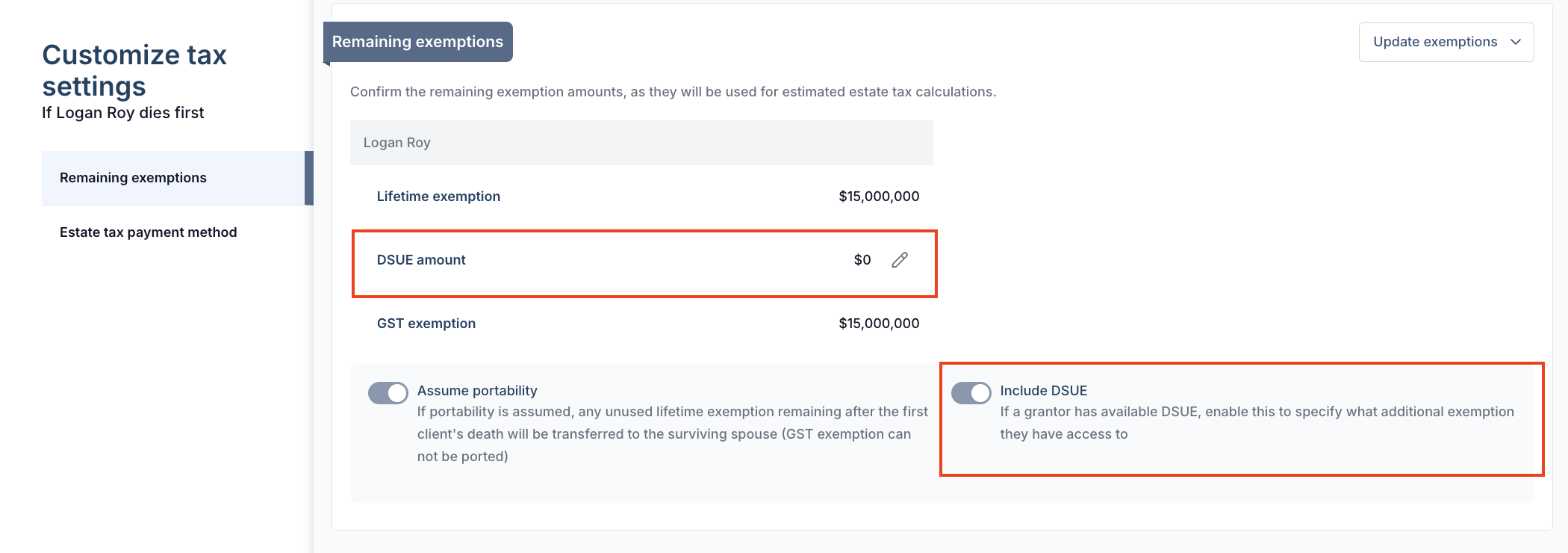
If you've removed the deceased client as a main client, but need to include DSUE amounts, navigate to the Exemptions tab then click Manage portability and DSUE in the upper right corner of the screen. Toggle on Include DSUE, shown below, then click the pencil icon to edit DSUE amount passed to the surviving spouse.
Newly married clients
If a client is recently married that should be considered a main client, you can add them in one of two ways:
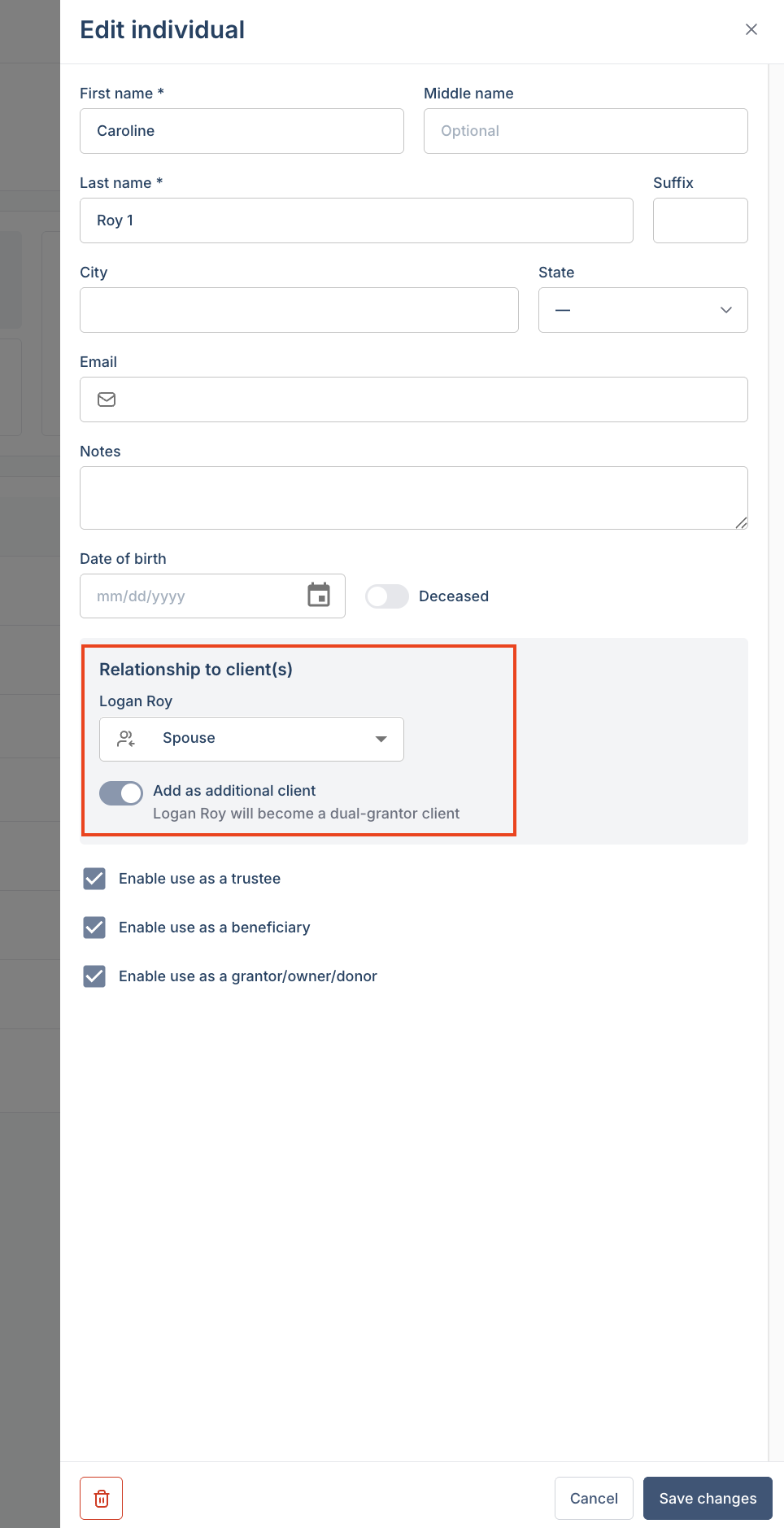
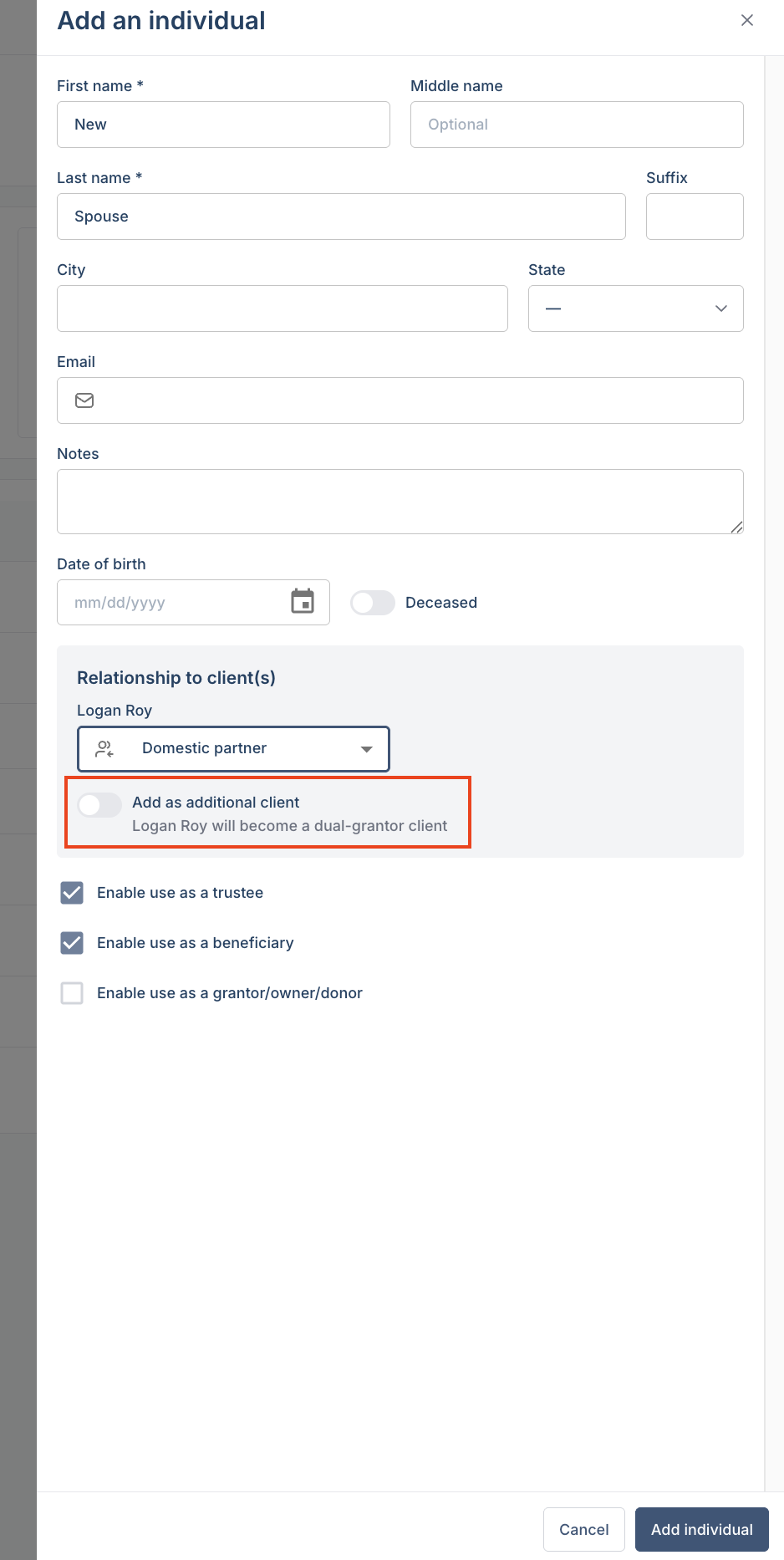
If the individual already exists in the client's profile, you can update their relationship to the client by clicking the pencil icon on the right side of the screen in the same row as the individual. In the edit pop-up window, change the relationship to spouse and toggle on Add as additional client.
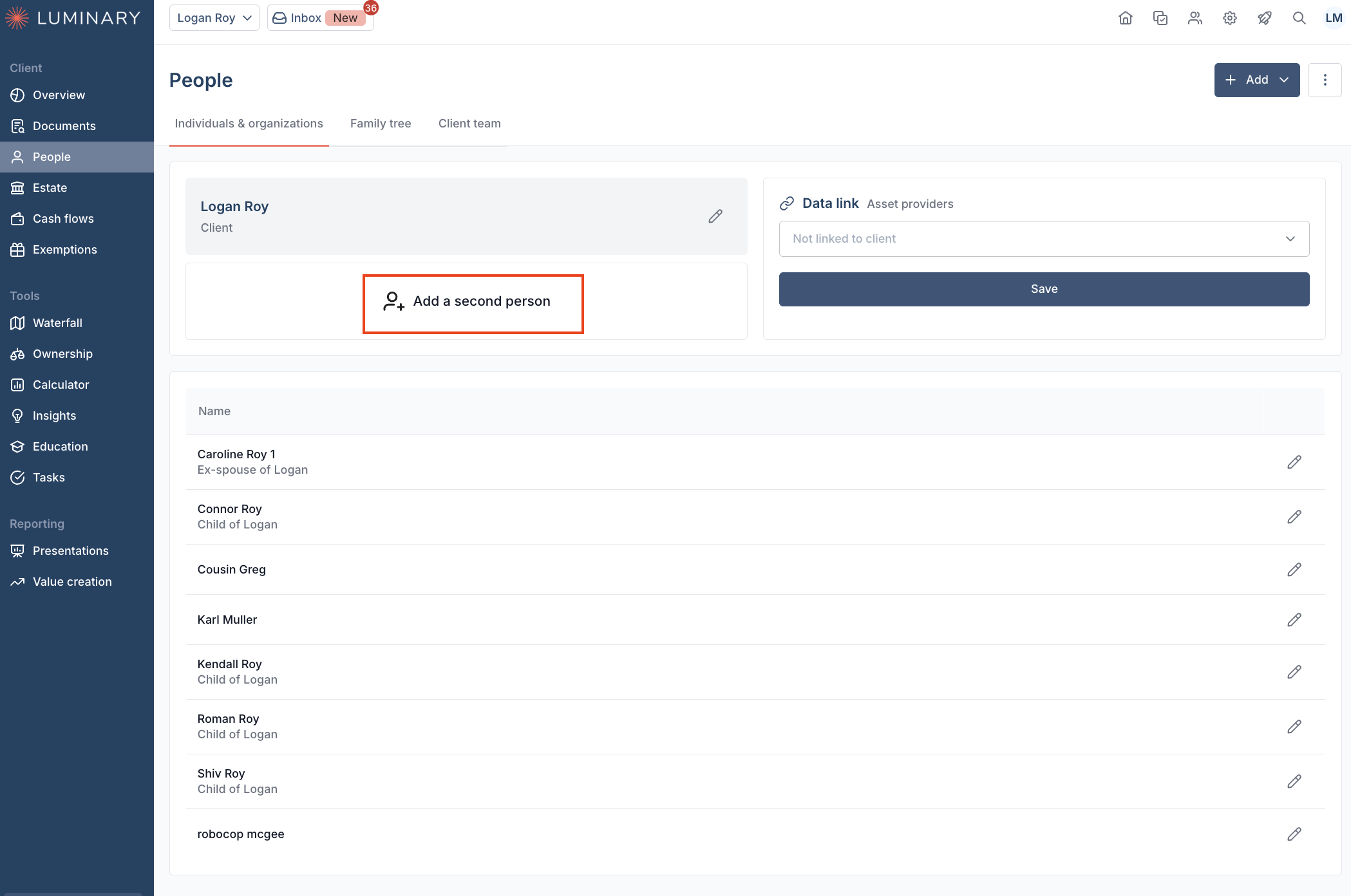
If not already added as an individual in Luminary, you can add them in the People tab by clicking Add a second person then inputting any relevant information.
Domestic Partners in Luminary
If two main clients in Luminary have a domestic partnership, this does not affect the estate tax engine. To model estate tax implications of domestic partnerships, we recommend these two options:
Create a two person household with the following modifications:
Ensure no assets are passing to the surviving partner via marital deduction. To avoid this, do not use any marital deduction options when entering dispositions.
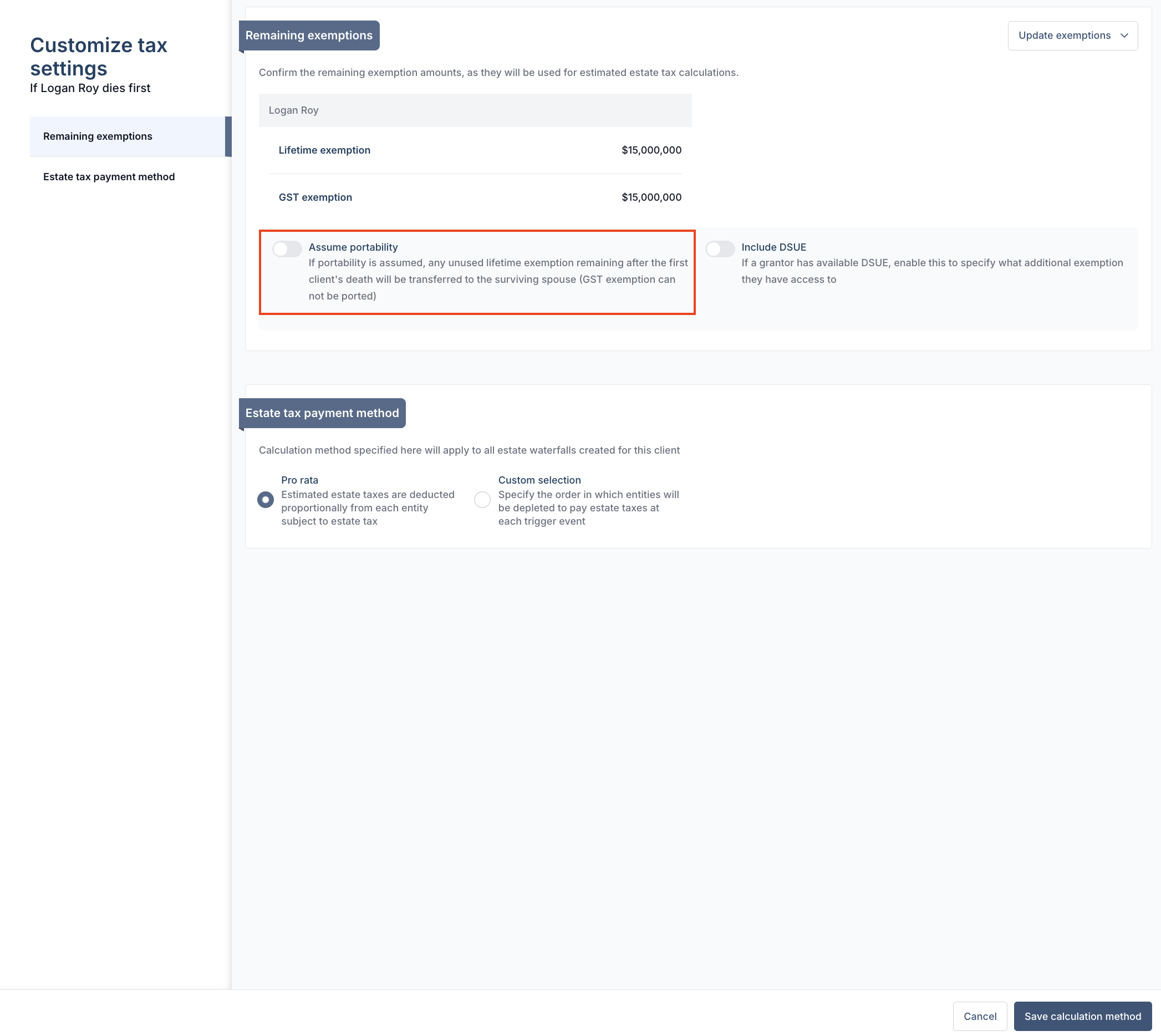
Turn off portability so unused federal exemption is not passed to the surviving spouse. From the Customize tax settings page found within Estate > Dispositions, you can toggle off Assume portability
Create a single client household, with an the domestic partner added separately where all other related individuals are listed. The partner's relationship can still be set to Domestic Partner, but the Add as additional client toggle remain off.
Neither of these options will split exposure to a per person basis, but will mimic cumulative estate tax exposure.